

.NET, Swift, Git and AI land in Xogot for Mac
In Beta2, we focused extensively on the user experience polish and becoming a true Mac citizen. Beta 3 is about removing friction. We're giving you more of the tools you need out of the box, so you can spend less time configuring and juggling your environment and more time building games.
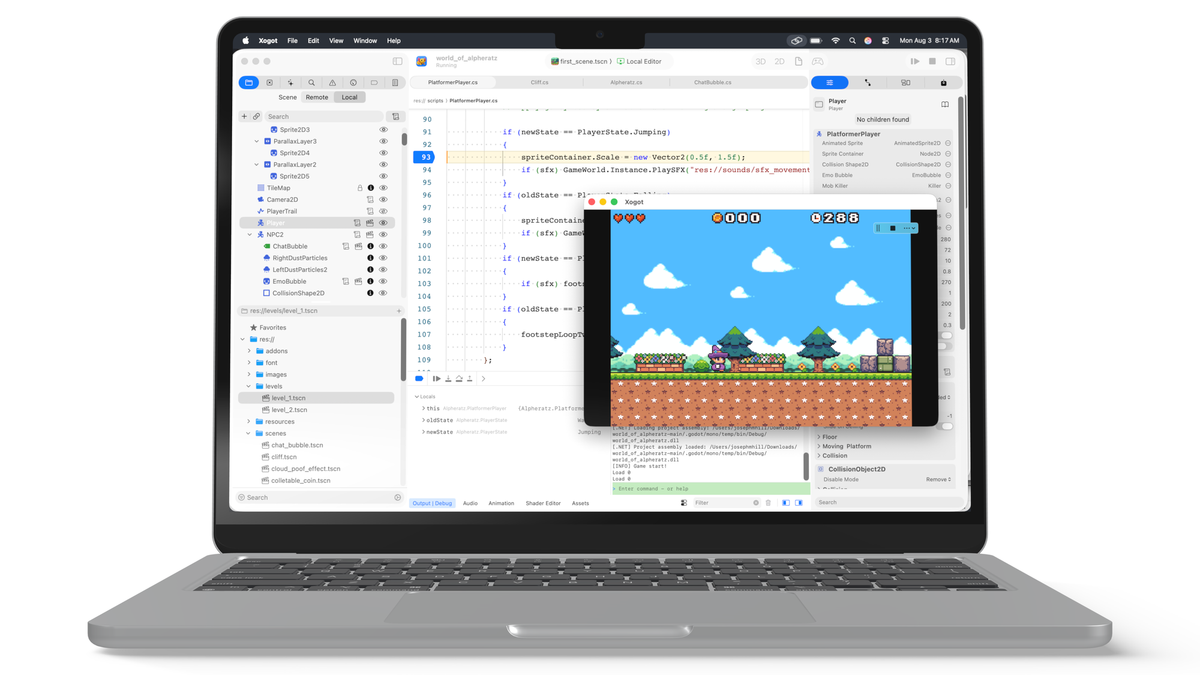
New in Beta 3, building on our previous Beta release and launch announcement:
- .NET and Swift as first-class languages.
- A built-in Git client with LFS support for all your chubby asset needs.
- An integrated AI coding assistant.
- And we continued to improve the UI and fix paper cuts.
The more we work on Xogot, the more we've come to think of ourselves as Godot sommeliers. Our job isn't to give you every possible option—it's to curate a development environment that feels ready to use from the moment you launch it.
Code in your language of choice
C#
If you are already a C# developer, Xogot should feel like home.
Enabling .NET support in Xogot would have been a matter of flipping a switch in our first release, but it would have felt clunky - relying on an external editor, debugger and configuration to get it to work properly.
Having worked on Visual Studio for Mac, we wanted to bring the same end-to-end experience to C# developers using Xogot.
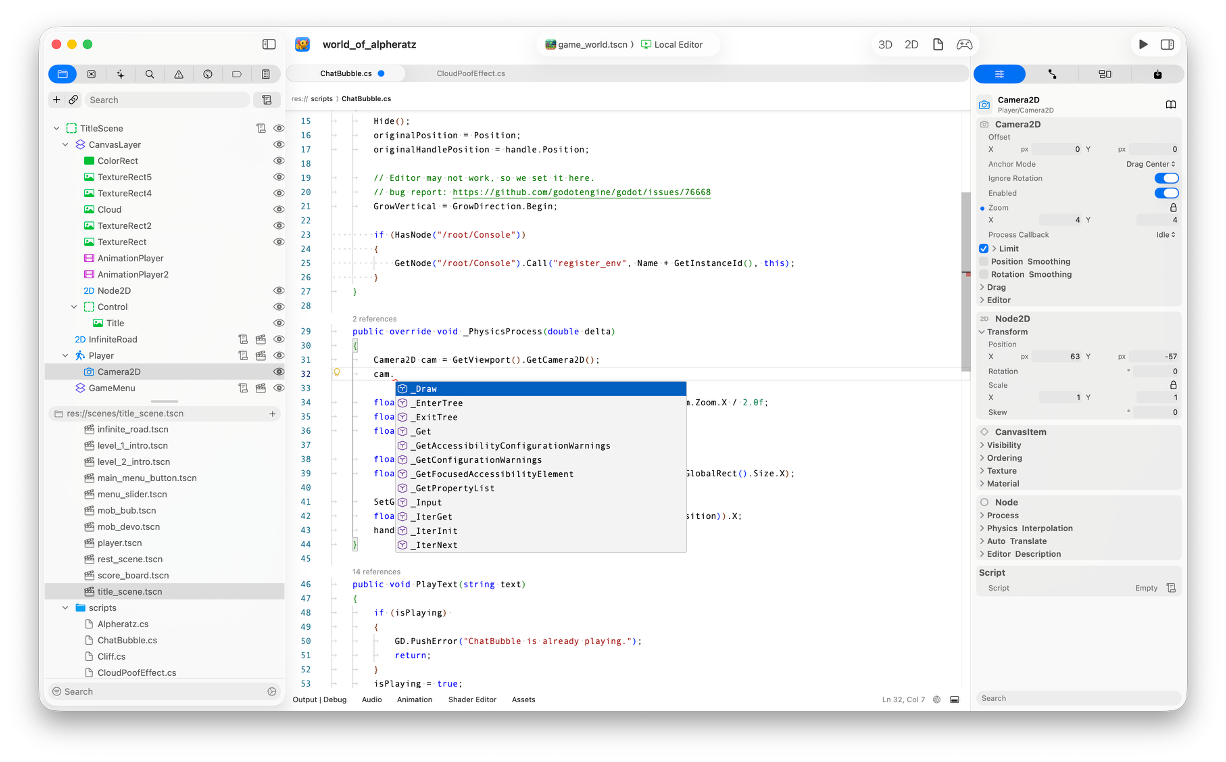
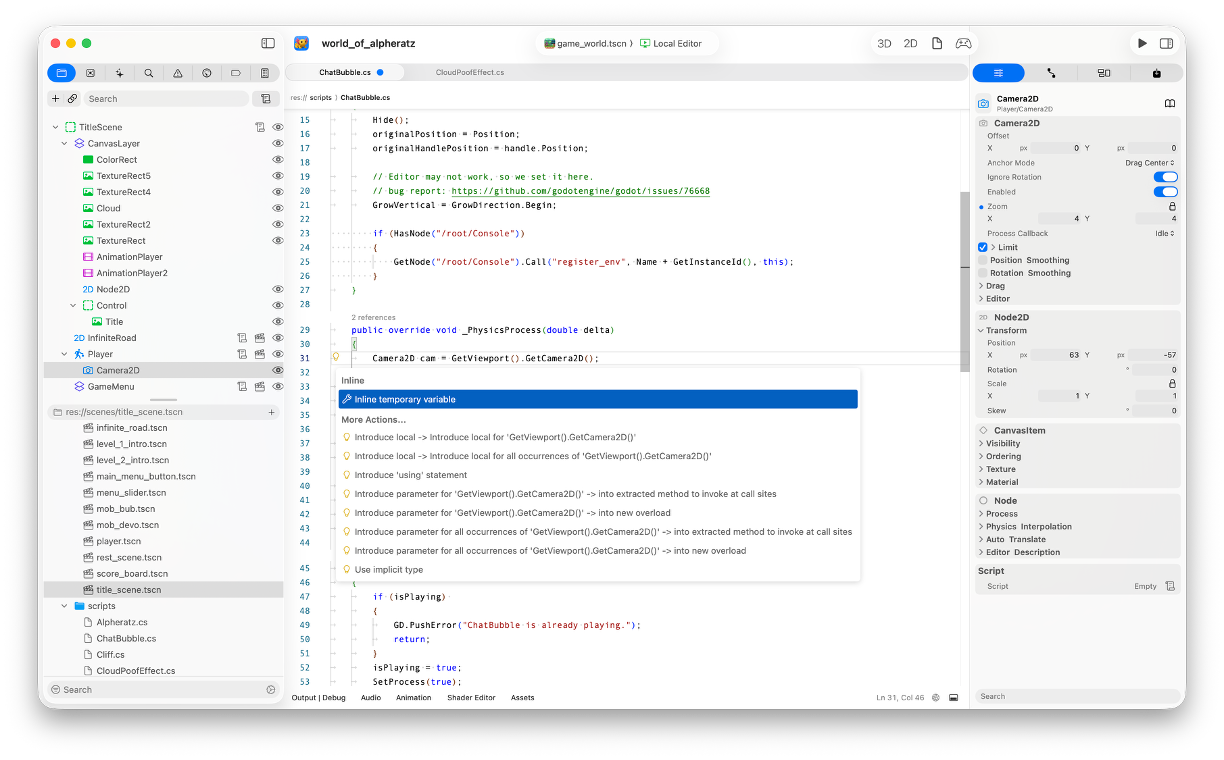
Experienced C# developers will get the experience they have come to expect from an IDE, including comprehensive editor support for code completion, documentation, refactoring and navigation:
And we bundled a debugger experience so you can set breakpoints, step over, examine variables, all from Xogot, without having to configure various knobs and external tools.
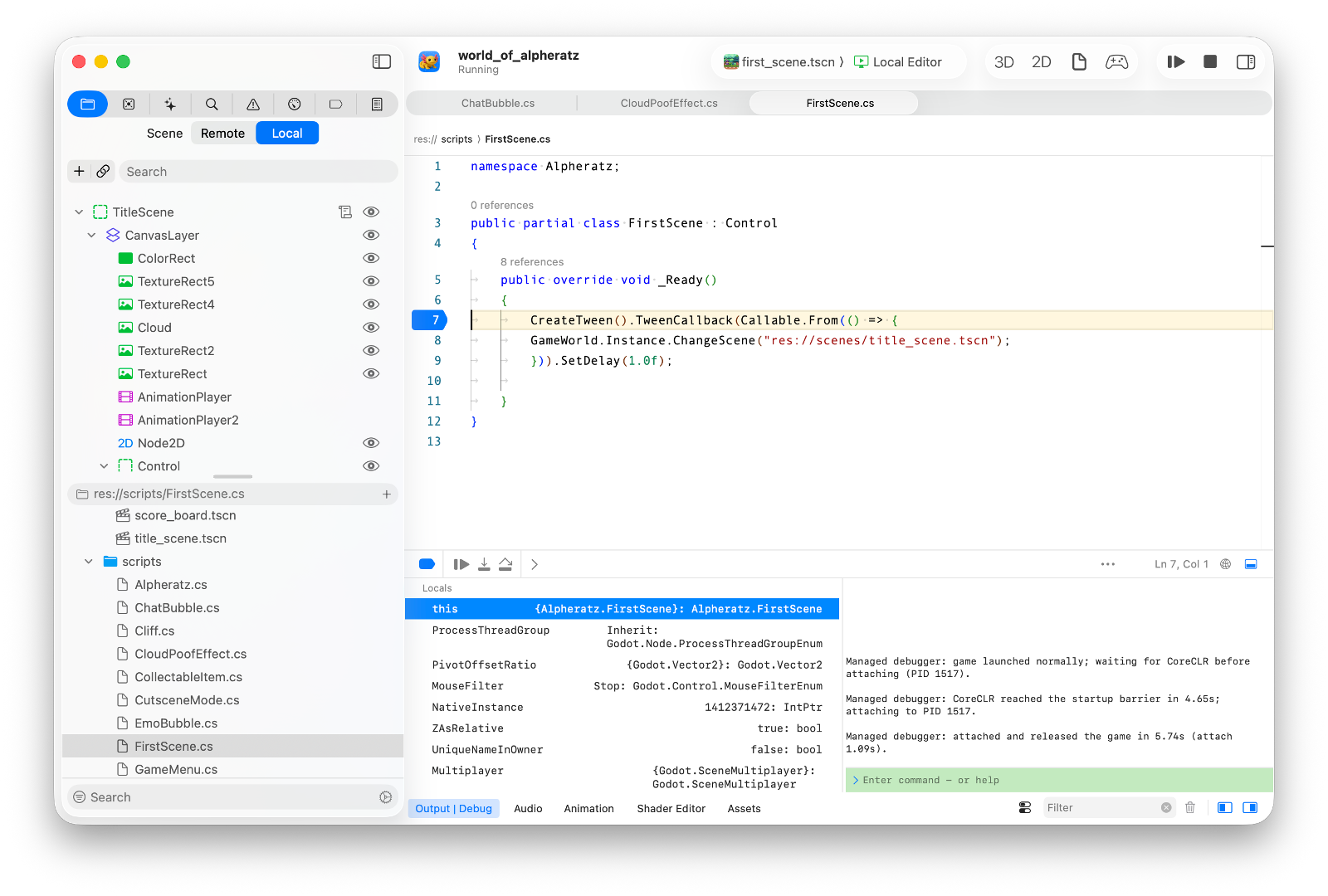
This is achieved by using a combination of Samsung's .NET Debugger and OmniSharp, and they are fabulous - even better than the proprietary versions from Microsoft. Am I trying to rage-bait the leadership at Microsoft that made some terrible calls regarding .NET? I would never.
For more details, check C# in Xogot for Mac.
Swift
We wanted Swift to feel natural in Xogot without forcing a new workflow. You can continue using it and managing it entirely as a GDExtension, but we are making it even easier to adopt in your game code.
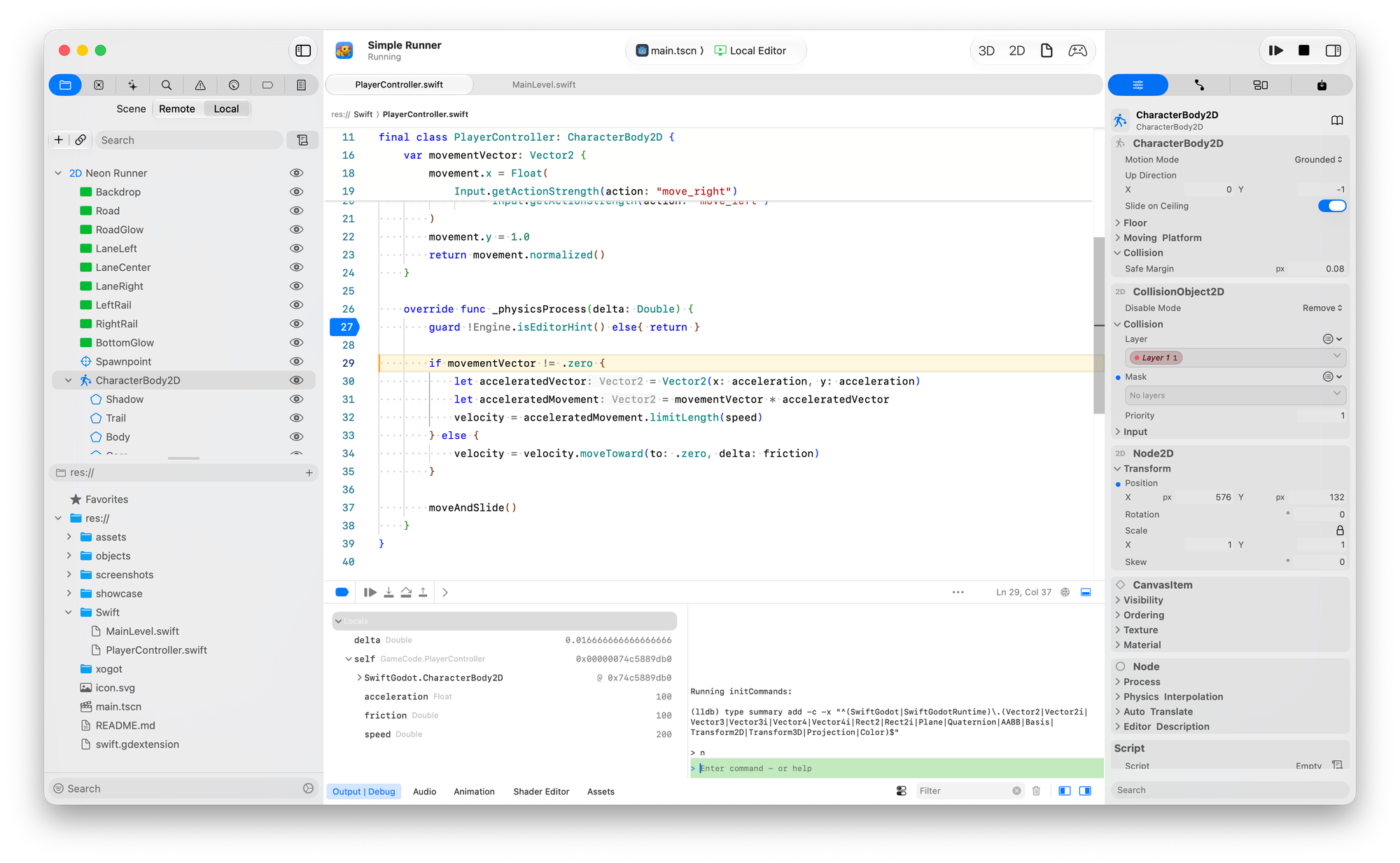
Since Xogot itself is built in Swift with SwiftGodot, we've been living in this tooling every day. It only made sense to bring that same experience to game developers.
You can attach Swift scripts directly to nodes, just like GDScript, or organize larger projects as Swift Packages.
Just like our .NET support, Swift comes with the IDE features you'd expect: code completion, symbol navigation, inline diagnostics, documentation, refactoring, and an integrated debugger. Under the hood it's powered by the open-source sourcekit-lsp project, Monaco, and LLDB, so it feels right at home on the Mac.
For more details see: Swift in Xogot for Mac
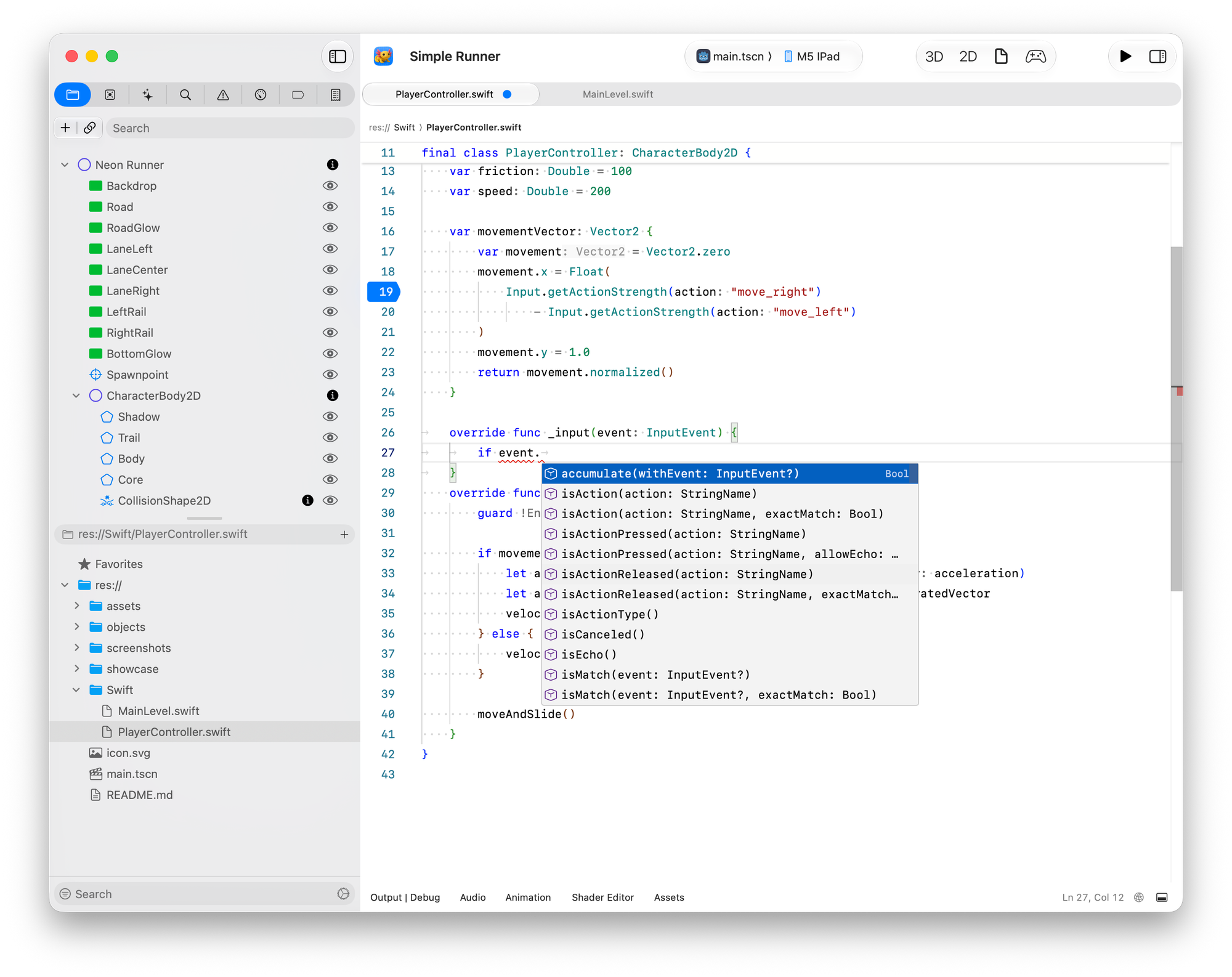
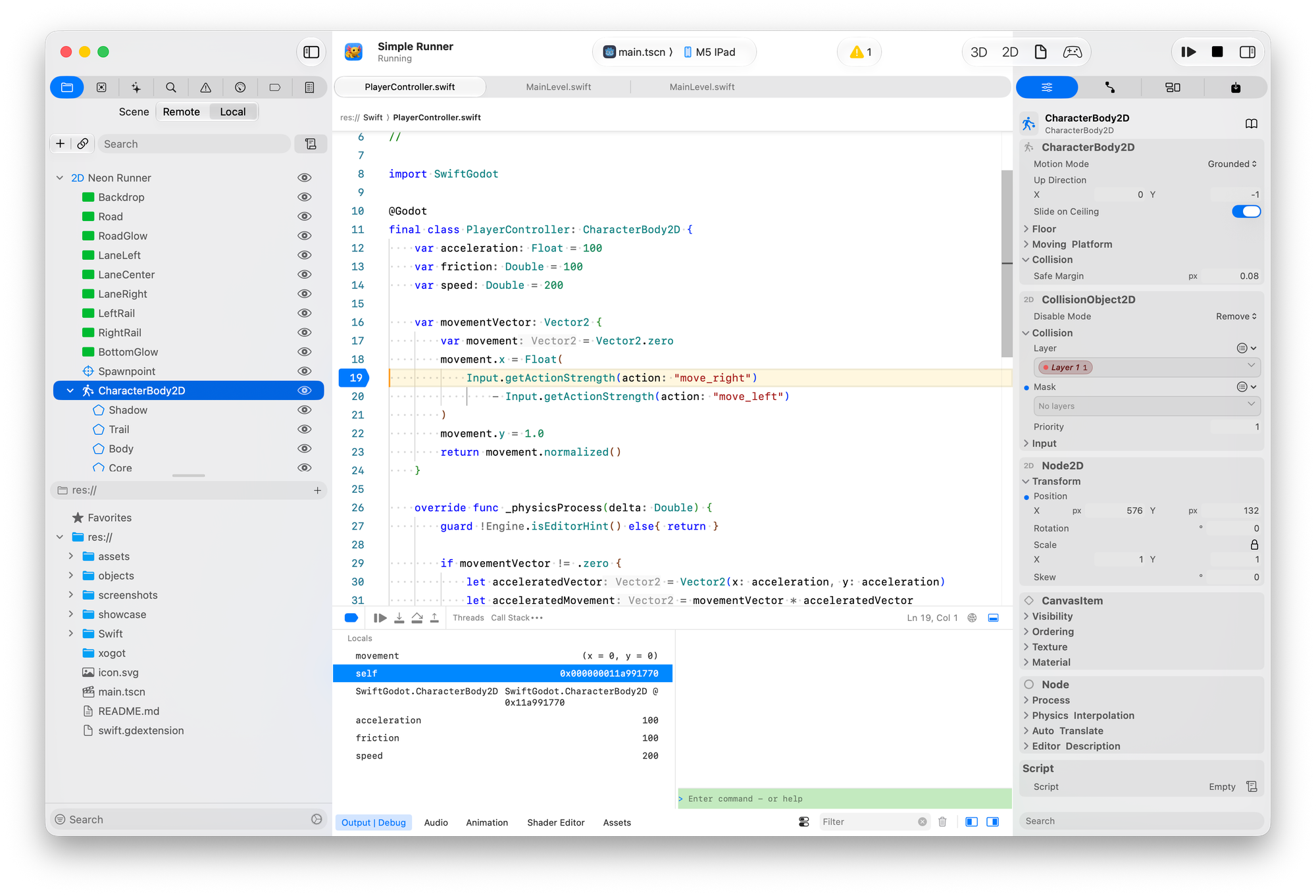
Code completion, error reporting; And debugging Godot/Swift code on an iPad.
Built-in Git
Clone, commit, branch, push and manage Git LFS without leaving Xogot. We modeled the experience after Xcode, creating a Git client that feels at home on the Mac while adding the features game developers rely on.
Our commit workflow gives you a dedicated staging view where you can review, stage and author commits without leaving the editor.
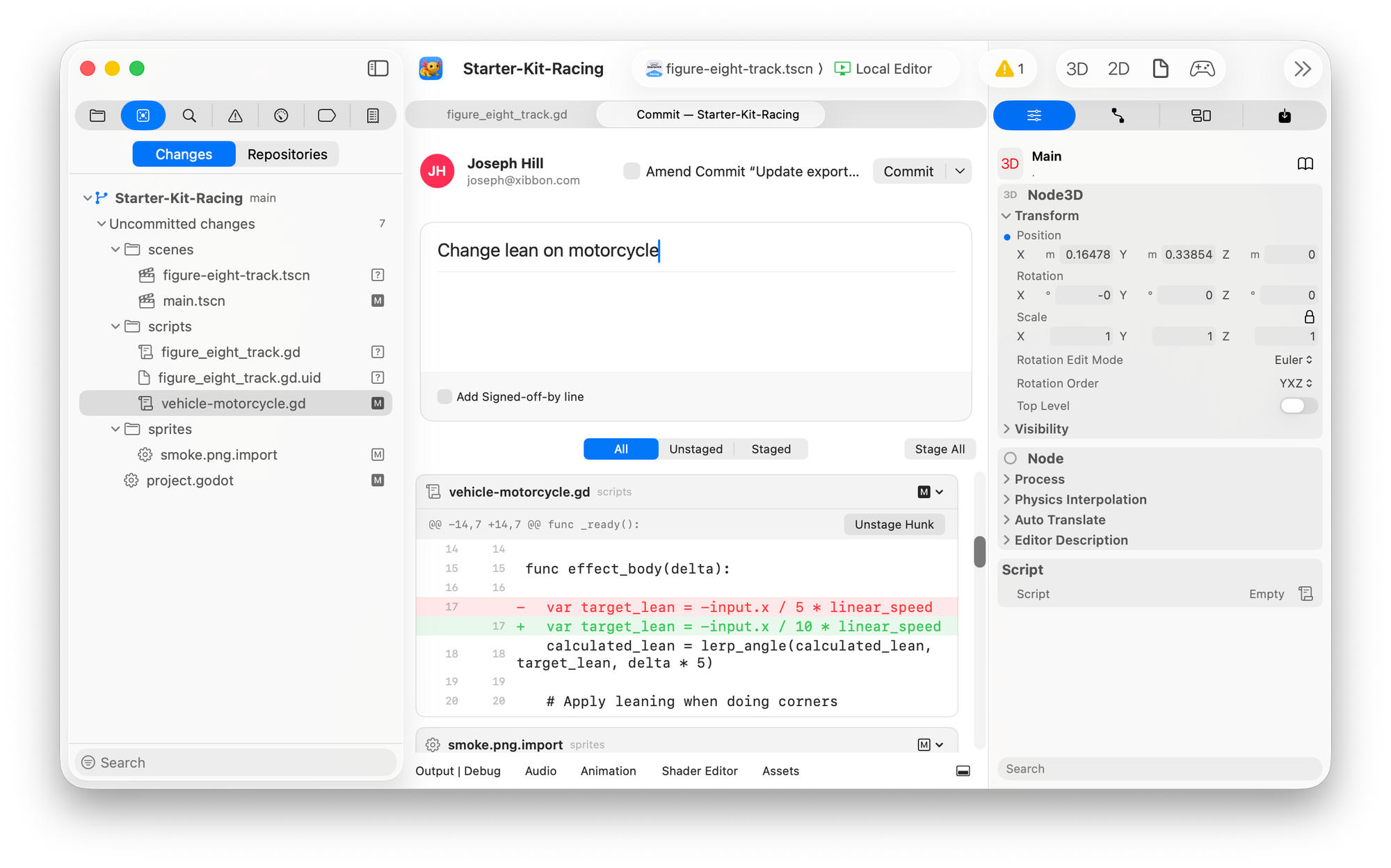
Game development often means dealing with large binary assets, so Git LFS is integrated throughout Xogot rather than bolted on afterwards. LFS-managed files are clearly identified, you can configure tracking rules from the editor, and manage file locks as part of your normal workflow.
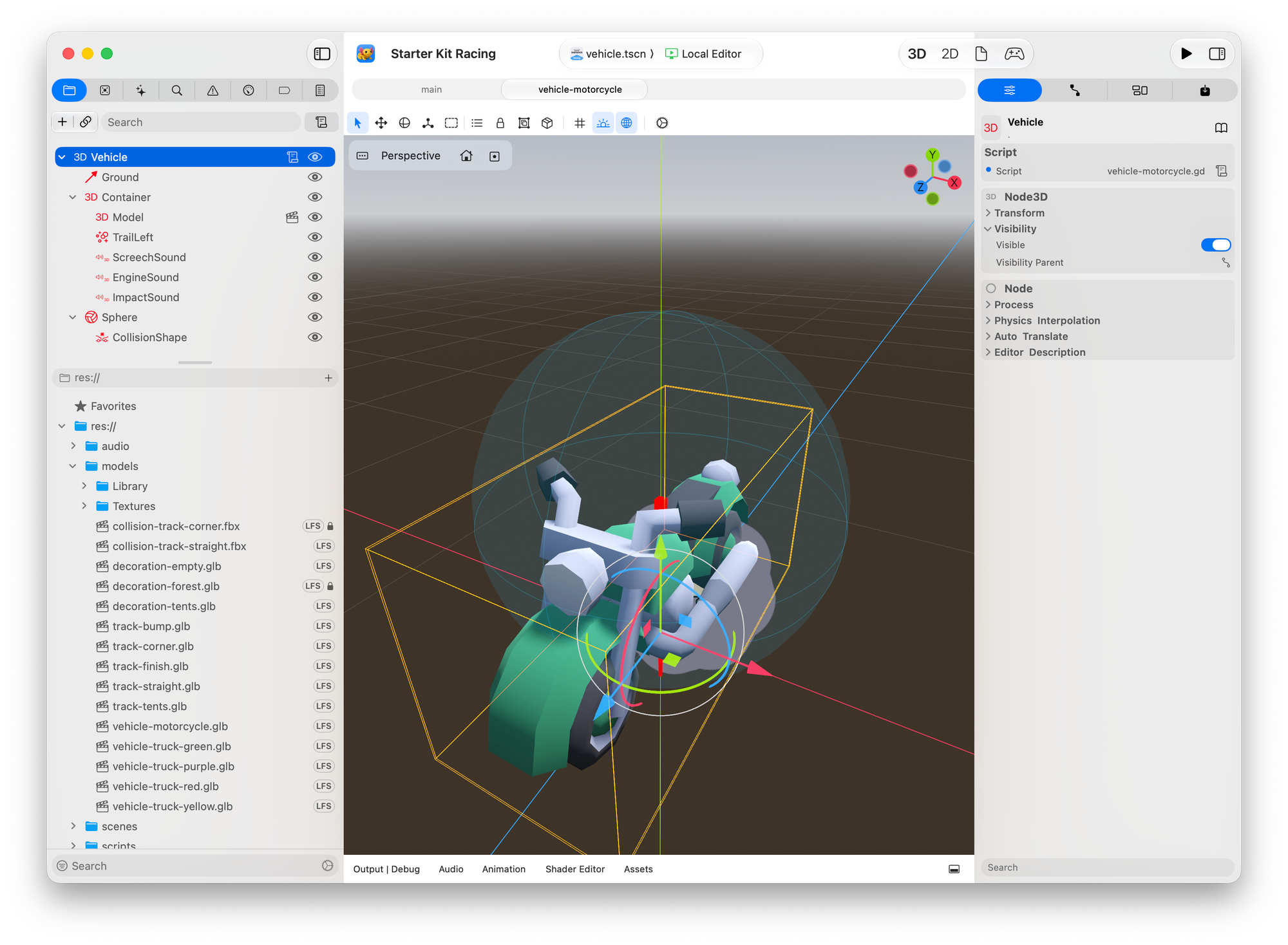
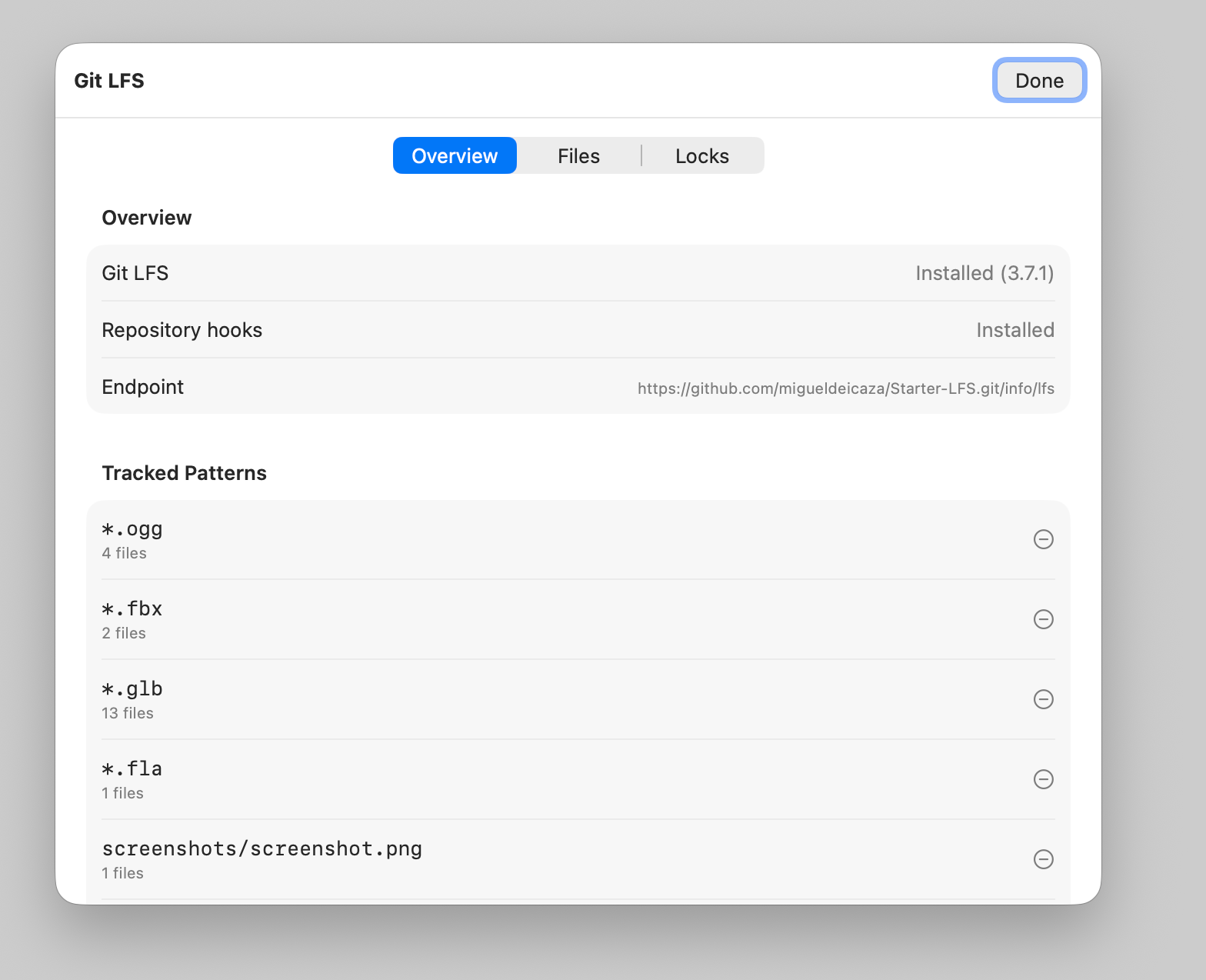
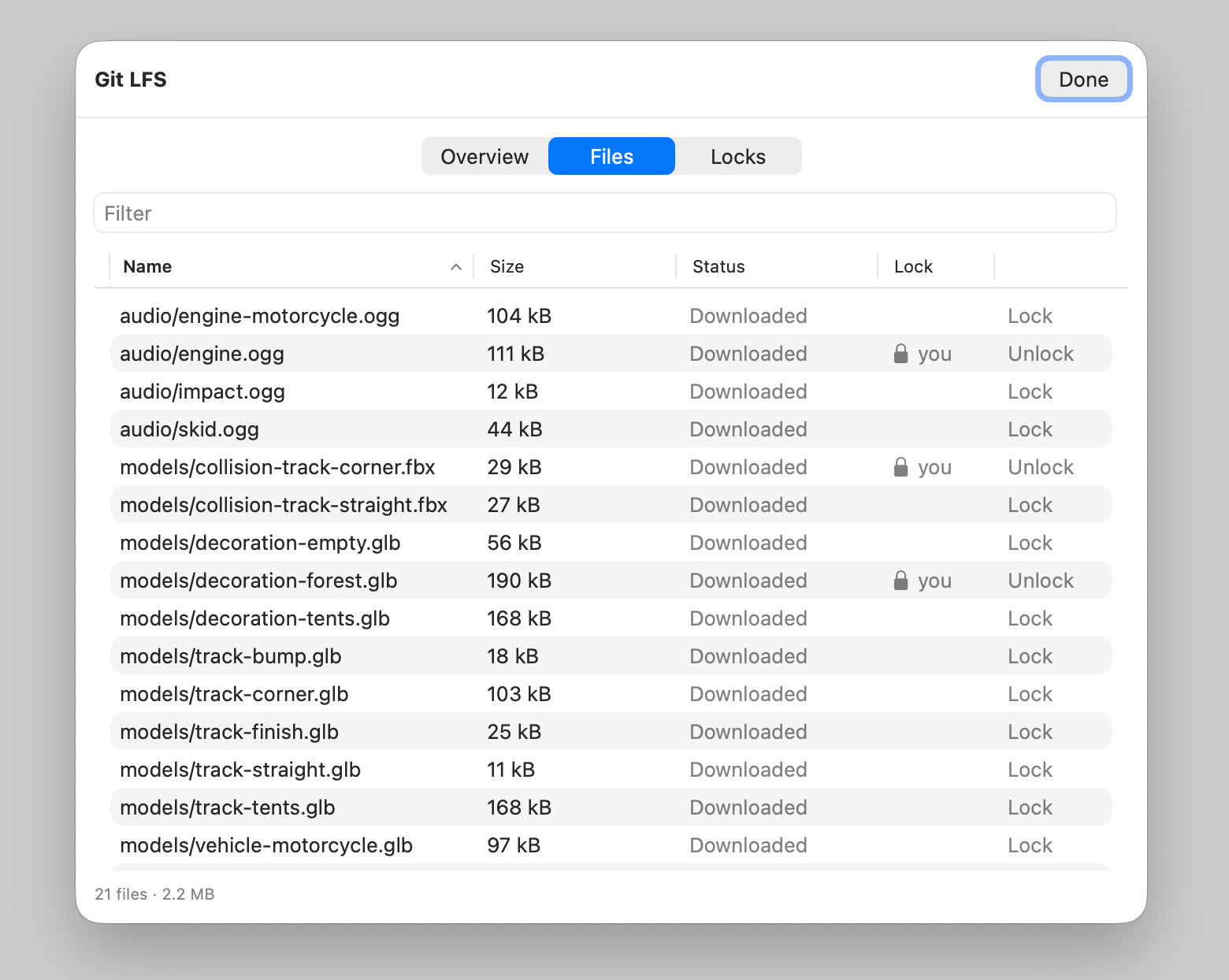
Files managed by LFS are flagged on the file pad, you can configure files to go directly to LFS, and manage your locked files.
You can clone repositories directly from Git, manage your accounts, and work with multiple remotes without dropping to the command line.
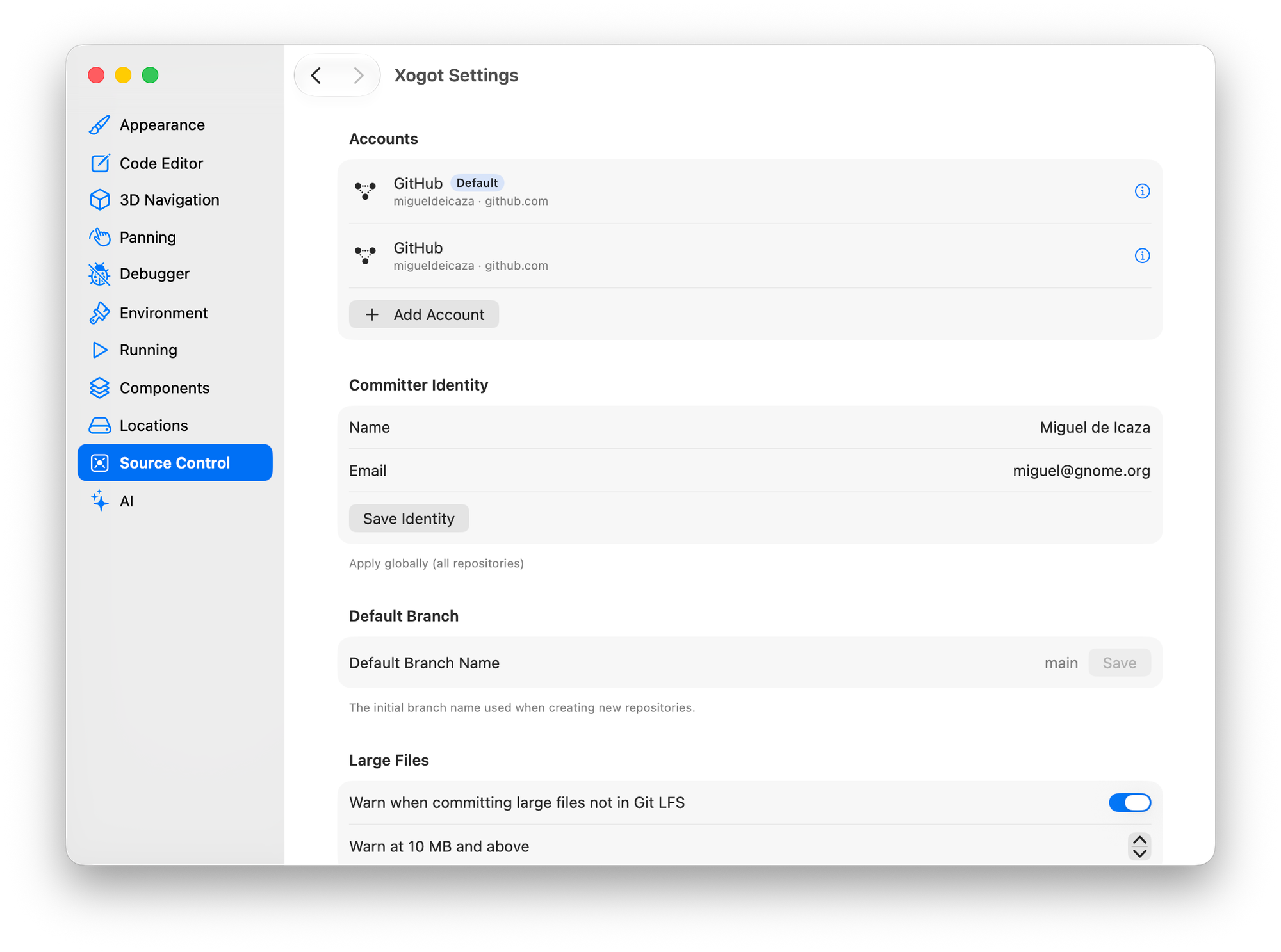
The rest of the Git experience covers everything you'd expect: pull, push, branching, stashing, cherry-picking, conflict resolution and selective commits.
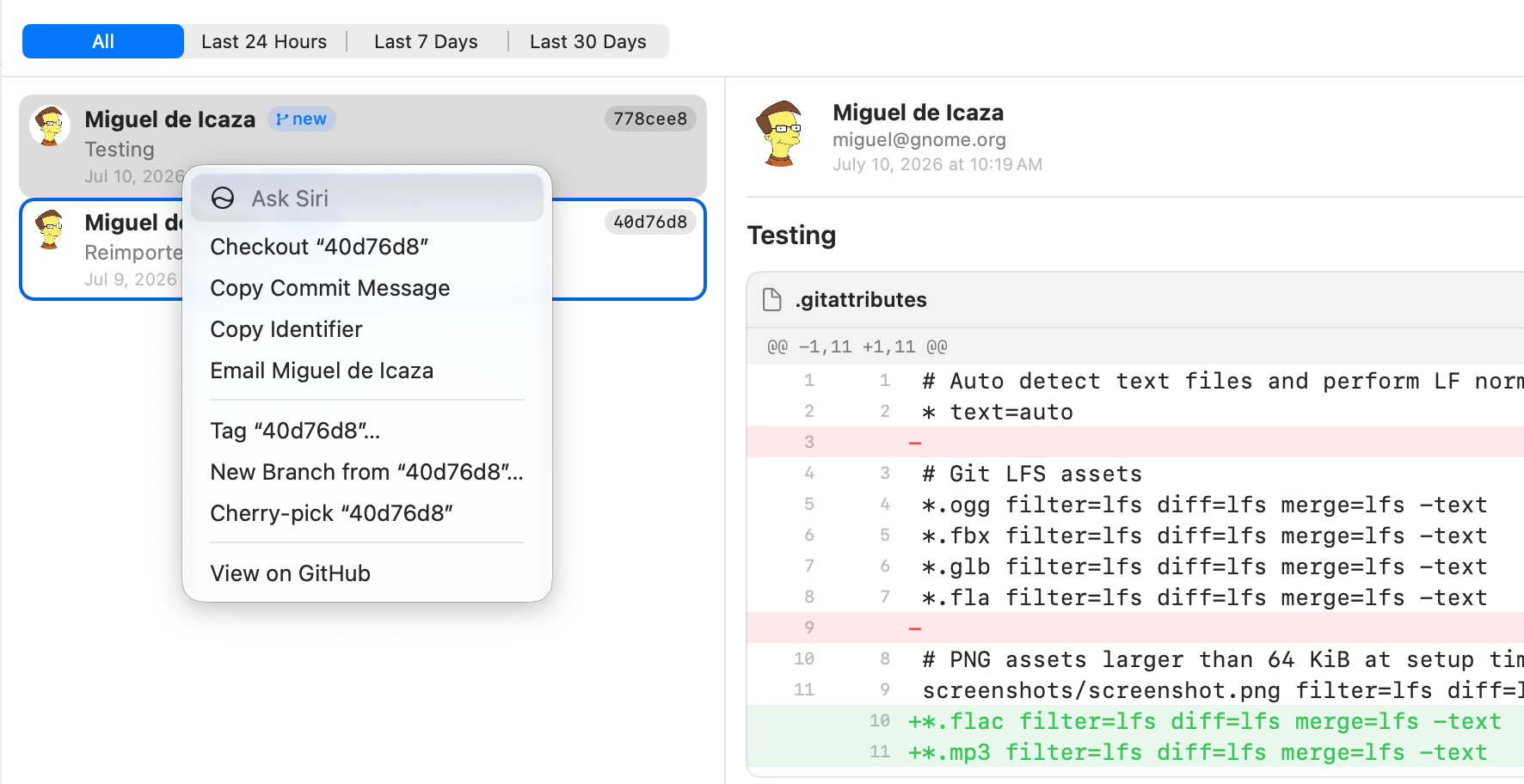
One of my favorite features was adding Gravatar image support, so when you are looking at those commit histories, you get icons for each contributor:
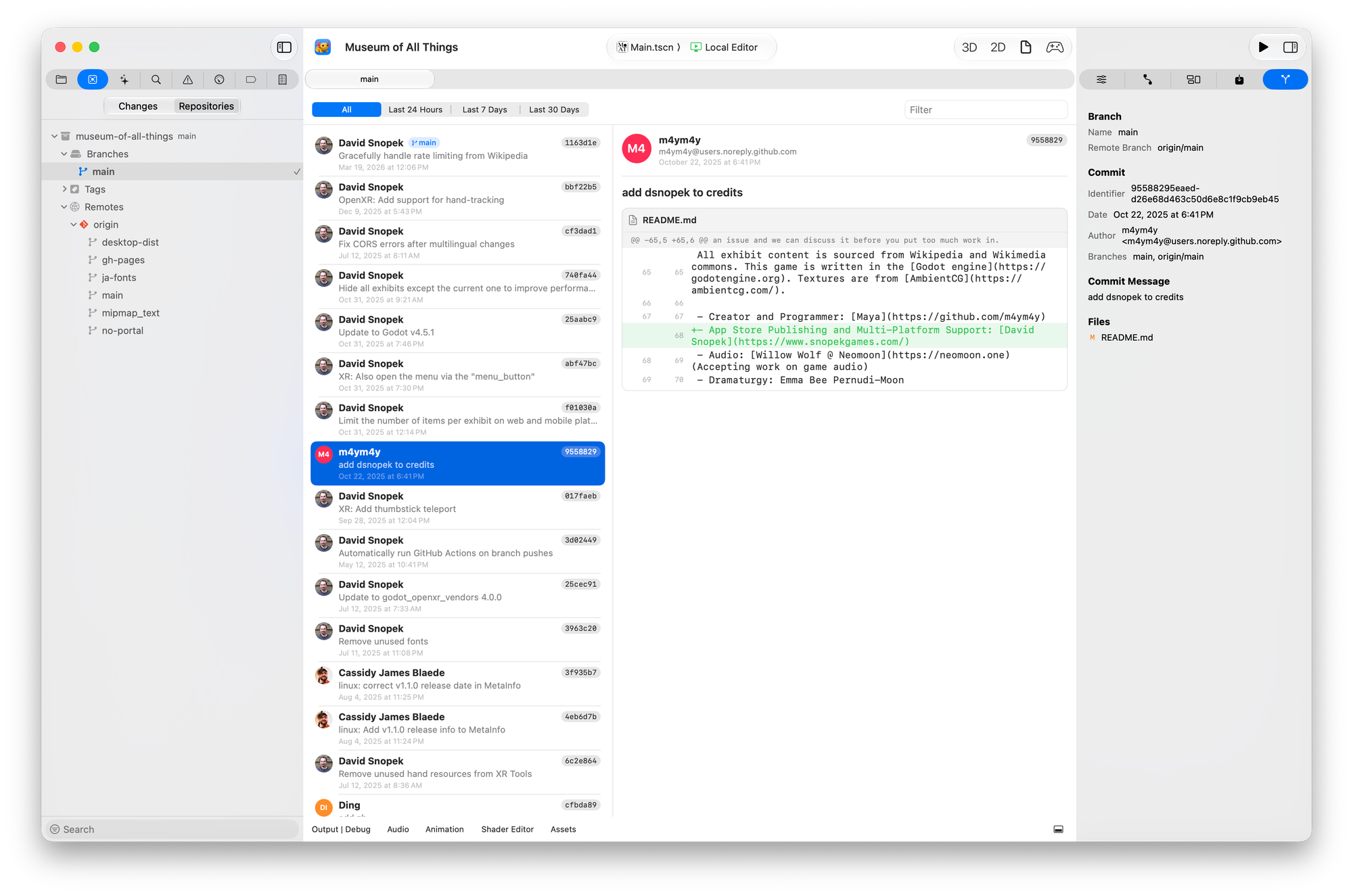
Learn more: Xogot Mac Source Control
Let AI help you when you are stuck
In Beta 2, we introduced support for external coding agents through Xogot's scripting interface, xo. Beta 3 takes the next step by bundling Pi directly into Xogot, so you can start using an AI assistant without wiring together another tool.
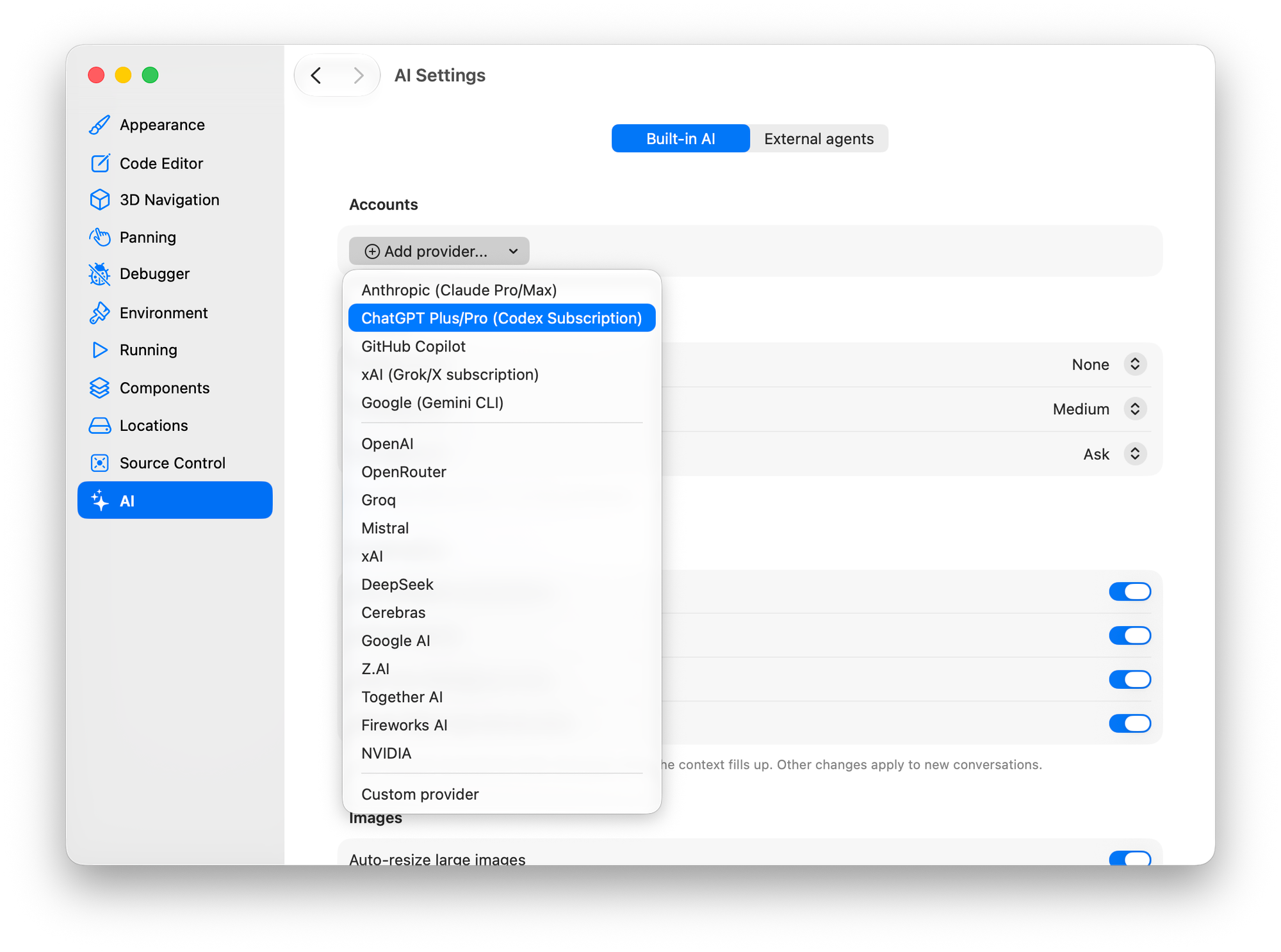
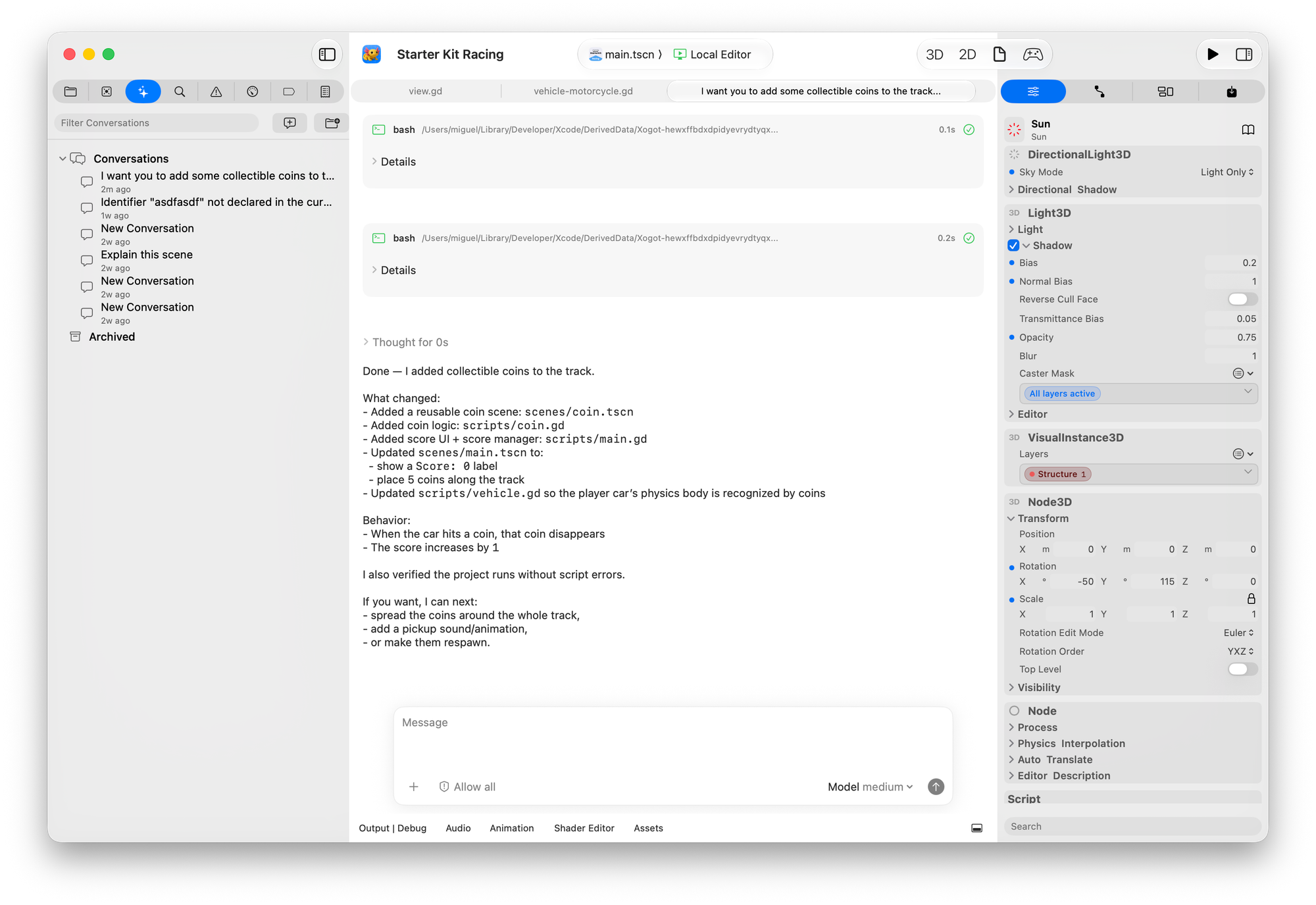
Beyond regular chat, the assistant is integrated into the editor itself. When you encounter build errors or diagnostics, you can ask for help directly from the Issue Navigator without leaving your workflow.
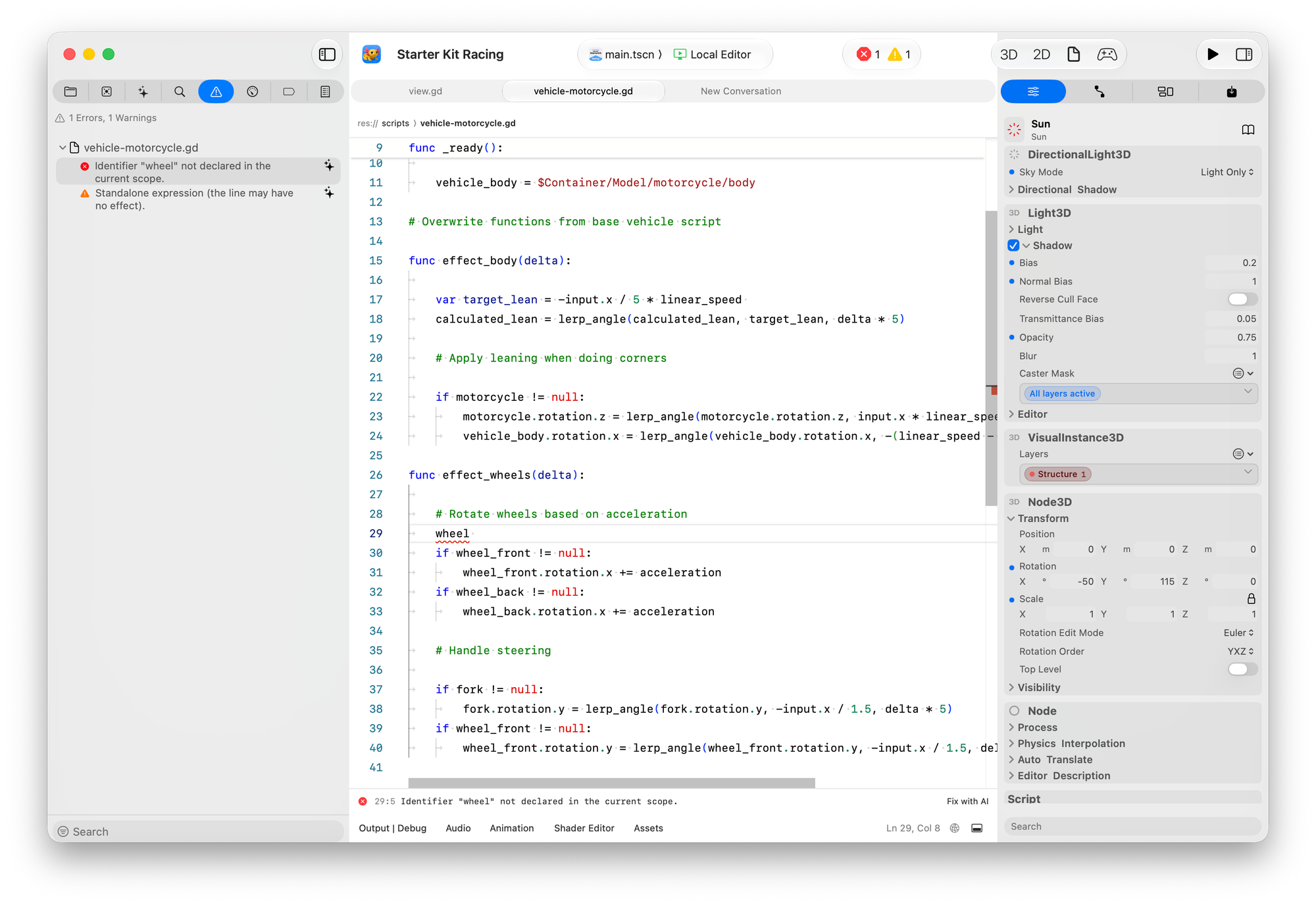
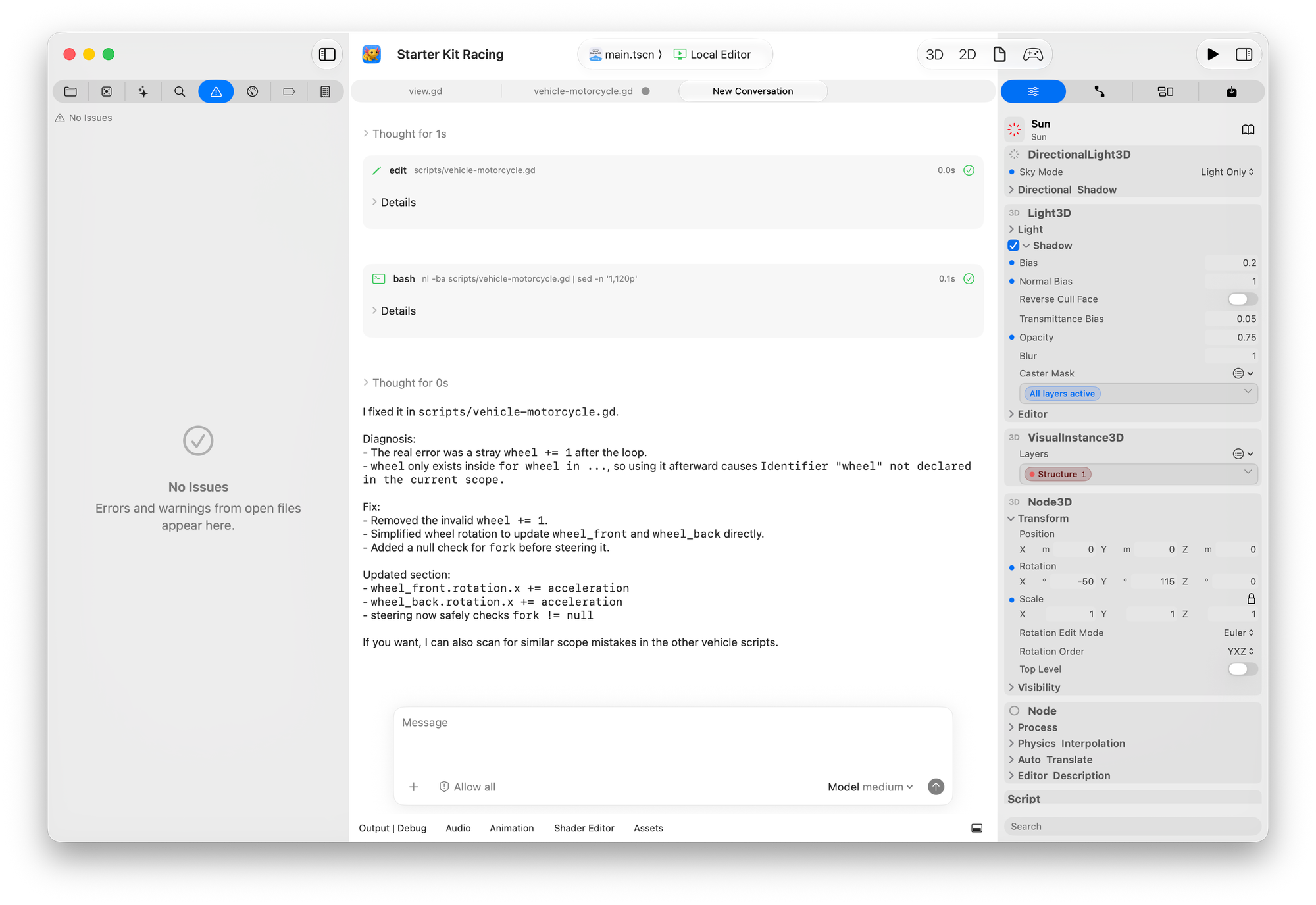
We will be adding support for more contextual operations in the future, and would love to hear from you where the agent could help you more.
Your credentials are kept on the Keychain, so you do not have to worry about another JSON file that anyone can easily grab.
Smoother Sailing
Diagnostics
With three languages, we were starting to notice some drifting in the way that errors were reported and we set out to unify them.
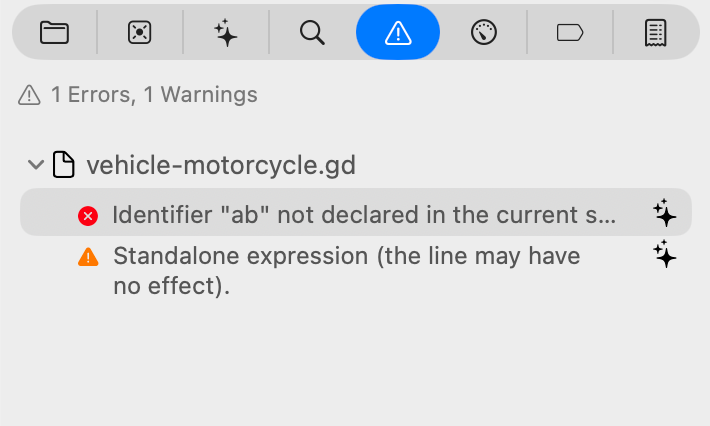
Diagnostics now behave consistently across all supported languages. Additionally, we can display in the toolbar the error/warning count, like Xcode does for errors in your project.

Clicking an error or warning opens the Issue Navigator, where you can go and fix every issue in one go.
CodeLens
We adopted CodeLens for signal connections. Instead of consuming valuable gutter space, signal annotations now appear inline with the functions they belong to - along with other CodeLens annotations that different languages provide.
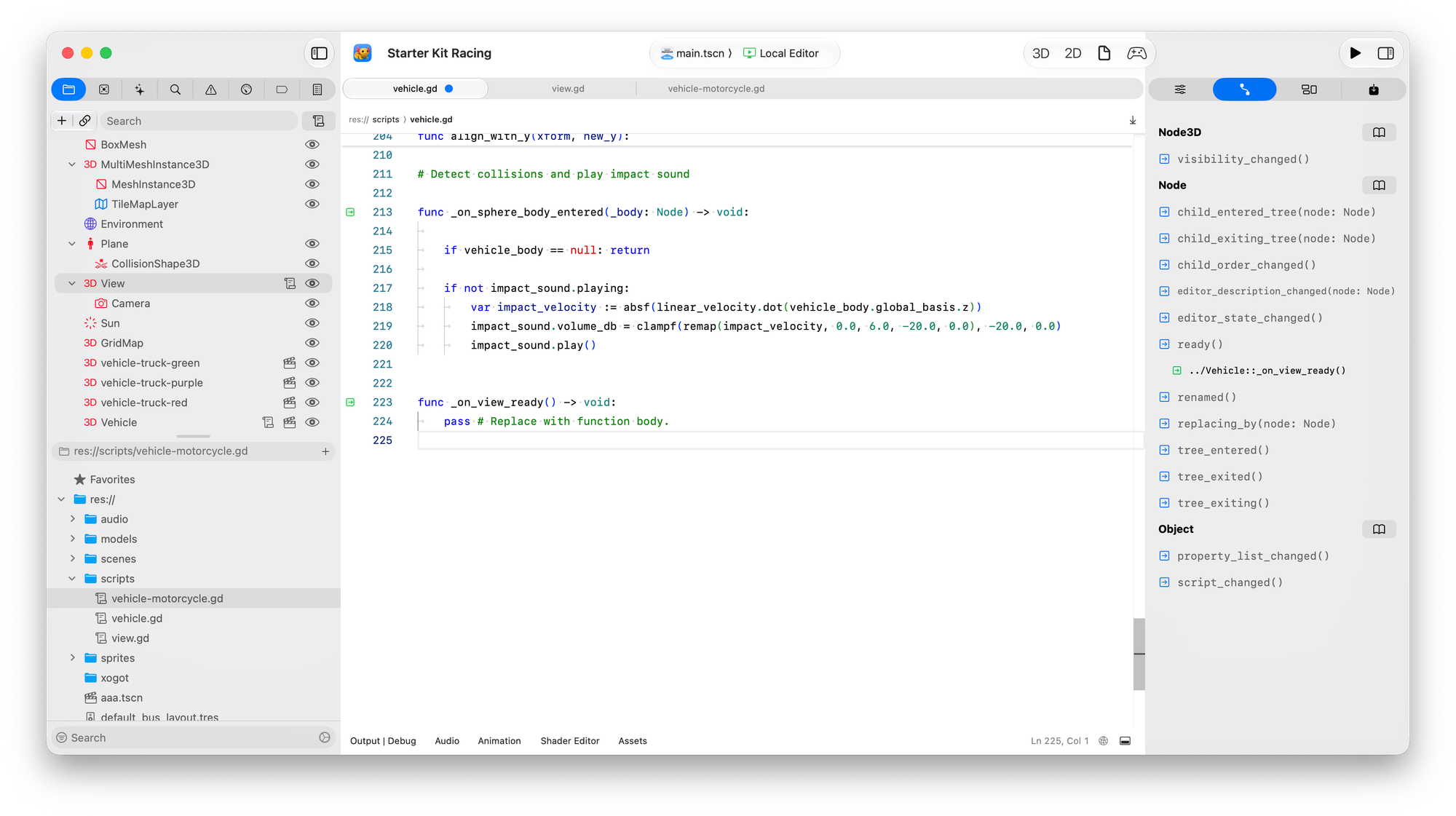
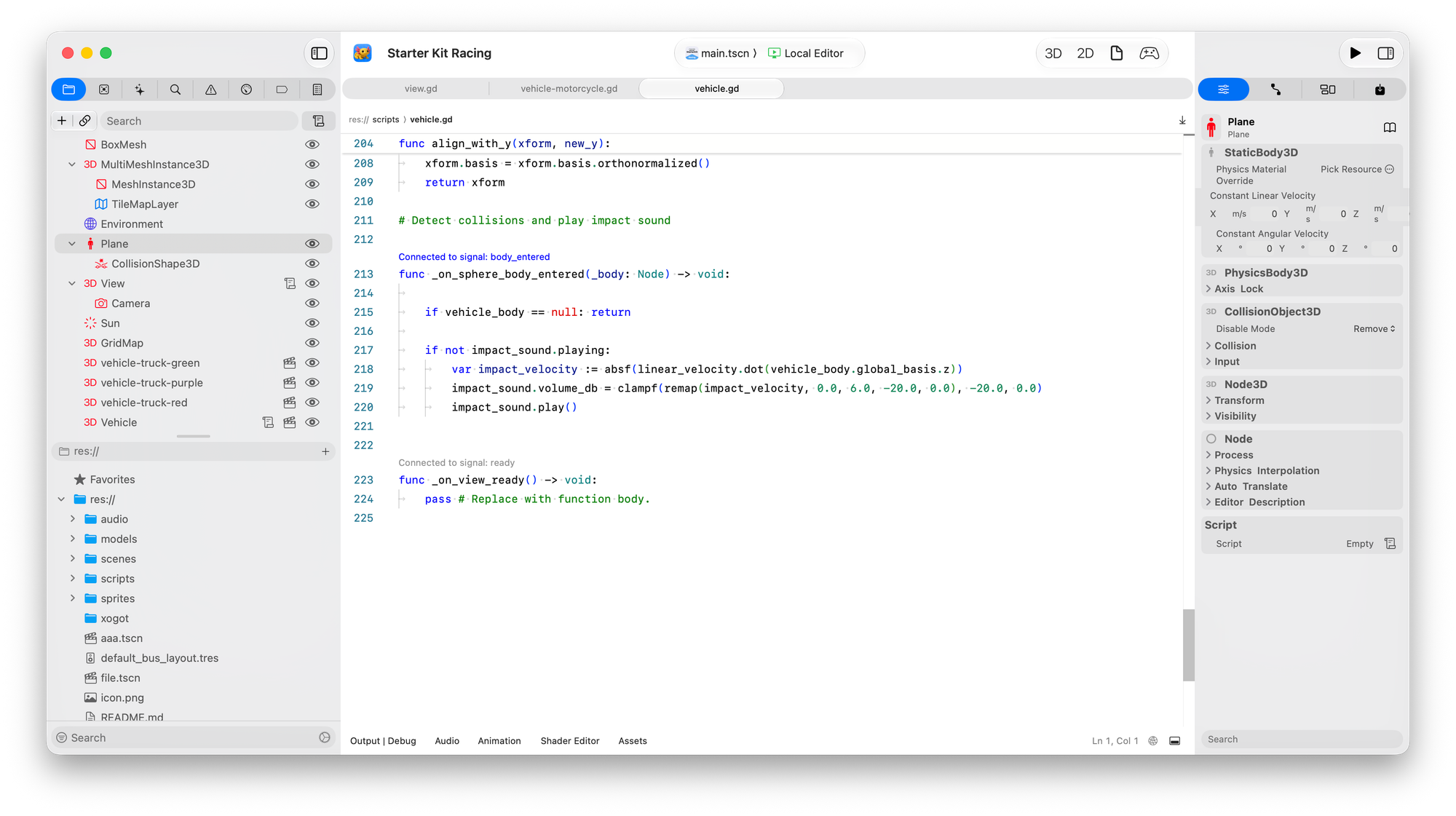
Beta2 showed connections as green markers on the gutter. In Beta3 we use CodeLens on the function.
Debugging Improvements
We also polished the debugging workflow:
- Xogot automatically comes to the foreground when a breakpoint is hit.
- Resuming execution brings your game back to the front.
- The debugger console now supports command history and auto-repeat.
We also reworked tab management. Like Xcode, stepping through code now opens temporary tabs instead of permanently filling your tab bar. You can still pin files you want to keep or open permanent tabs when you choose.
Input Map Improvements
Every new project starts with configuring input maps. We decided that shouldn't be something you have to rebuild from scratch every time.
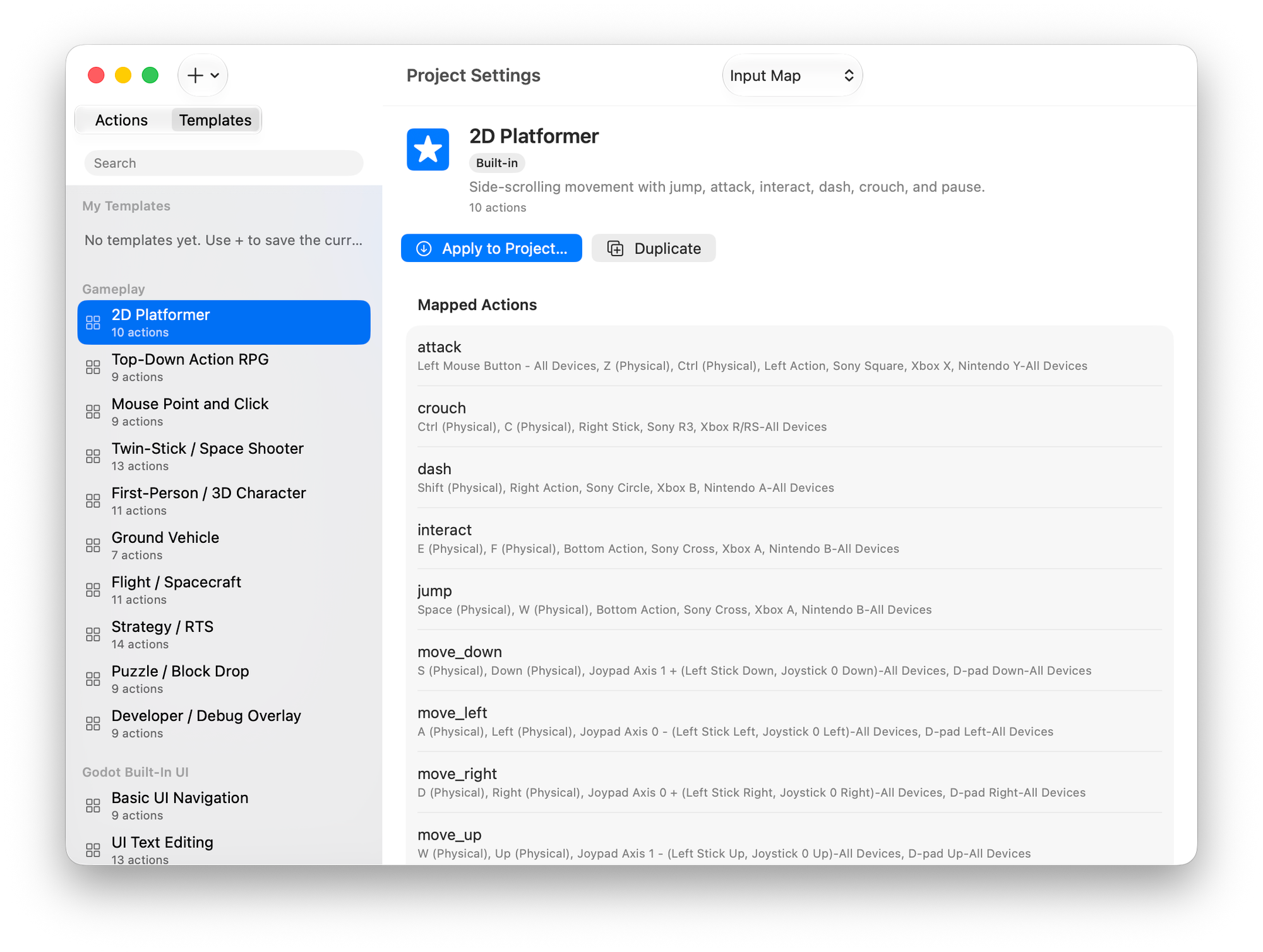
For veteran developers, you can now import input maps by picking another Godot project, and we will import the input map from that project into your current project. No more slogging like an animal. And if you feel particularly strong about your own idioms, you can save your own templates or share your templates with others.
For new developers, we surveyed the most popular open source Godot projects and put together some templates for the most common idioms.
When we originally ported the UI from Godot to SwiftUI for the iPad, this was one of the areas where I assumed conservatively that users would understand what things meant, and changing things was outside of my comfort zone. But, a couple of years into this, and I still struggle with these dense lists of text that have to be scanned individually. They were hard to reason about or enjoy:
The Wall of Shame
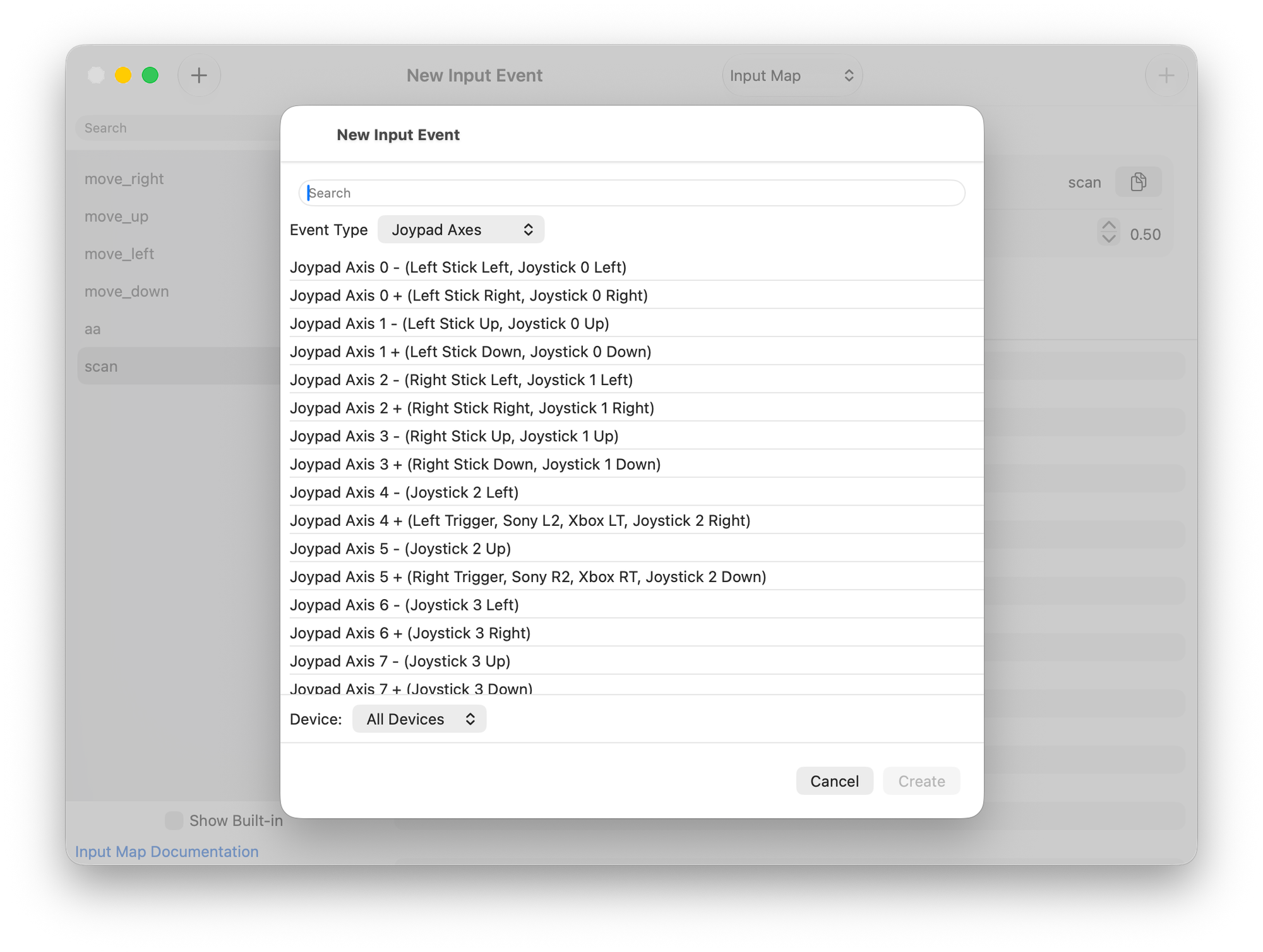
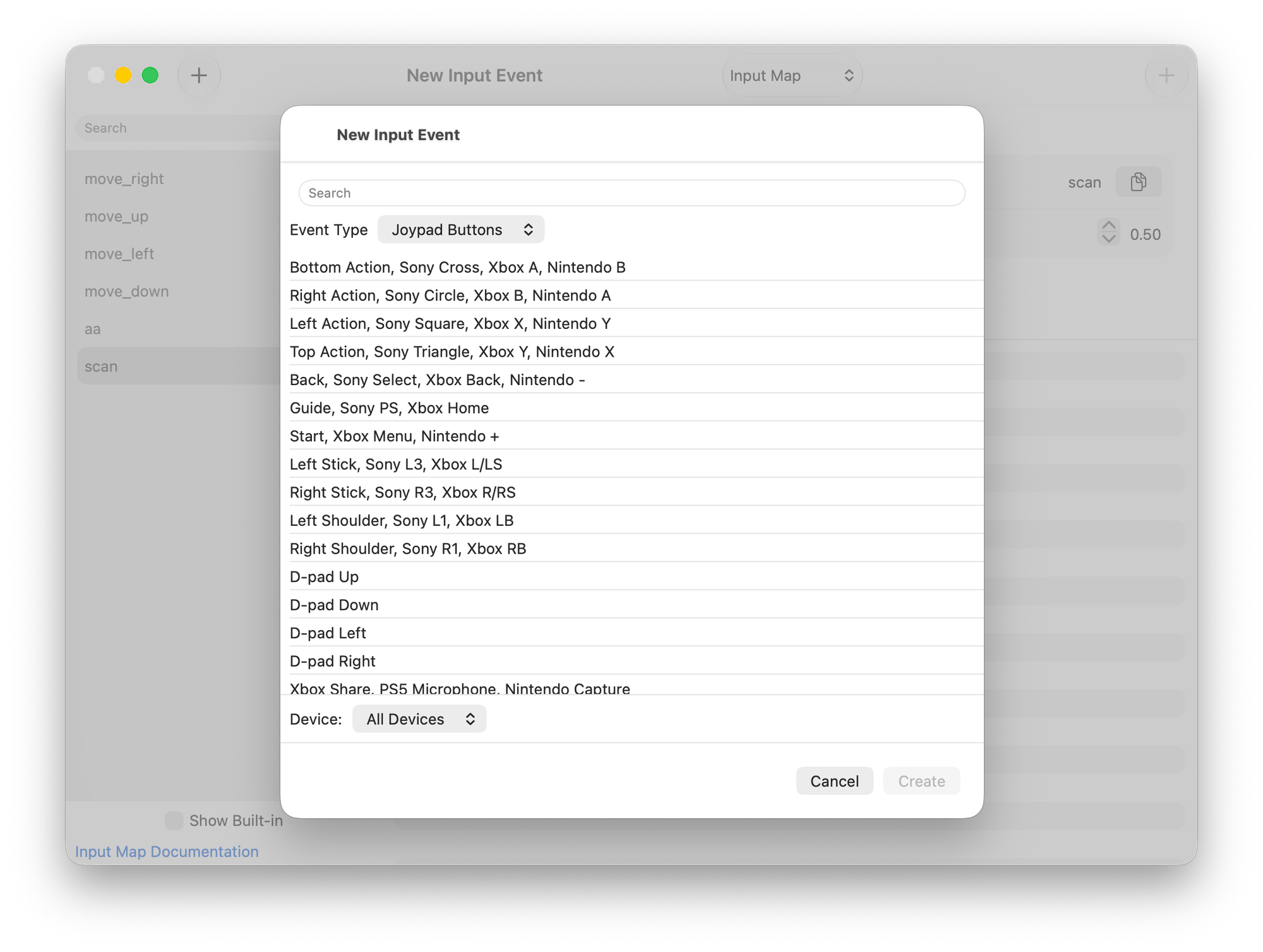
So we decided to convert those walls of text into something that is easier to scan for and reason about, and in the process used some lovely SF Symbols. For the platform specific buttons, we are using the official brand colors. I think it makes it pretty:
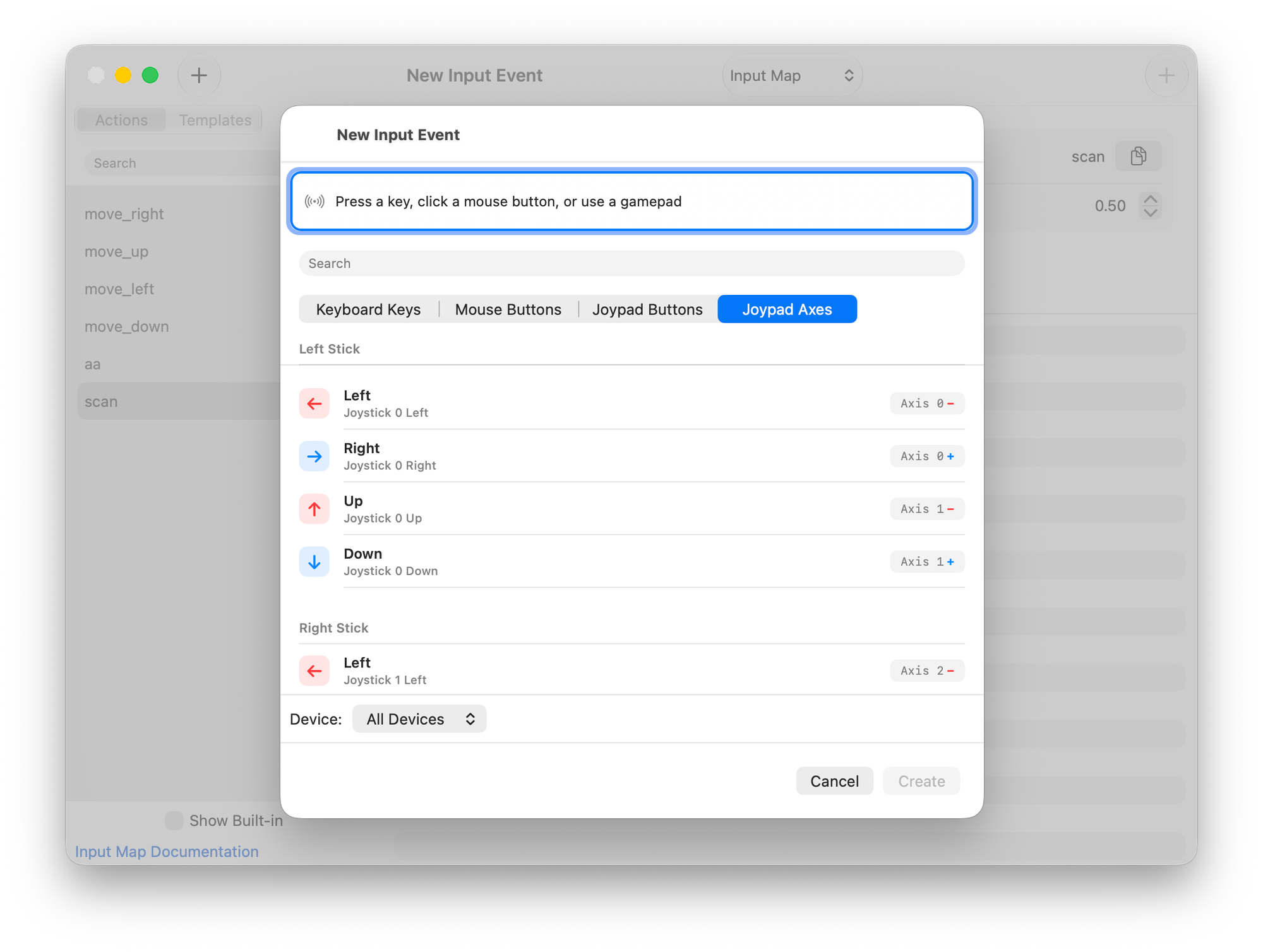
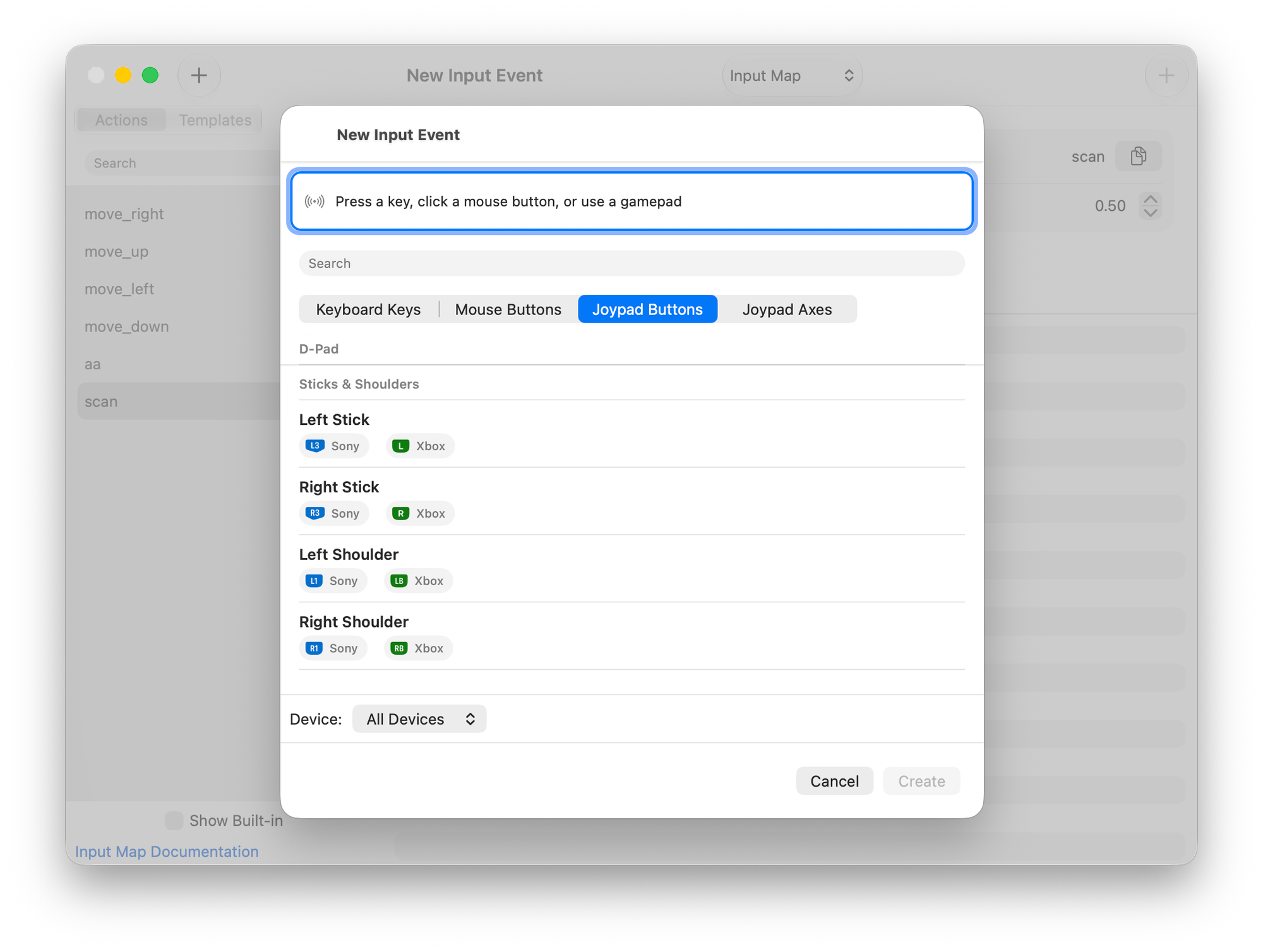
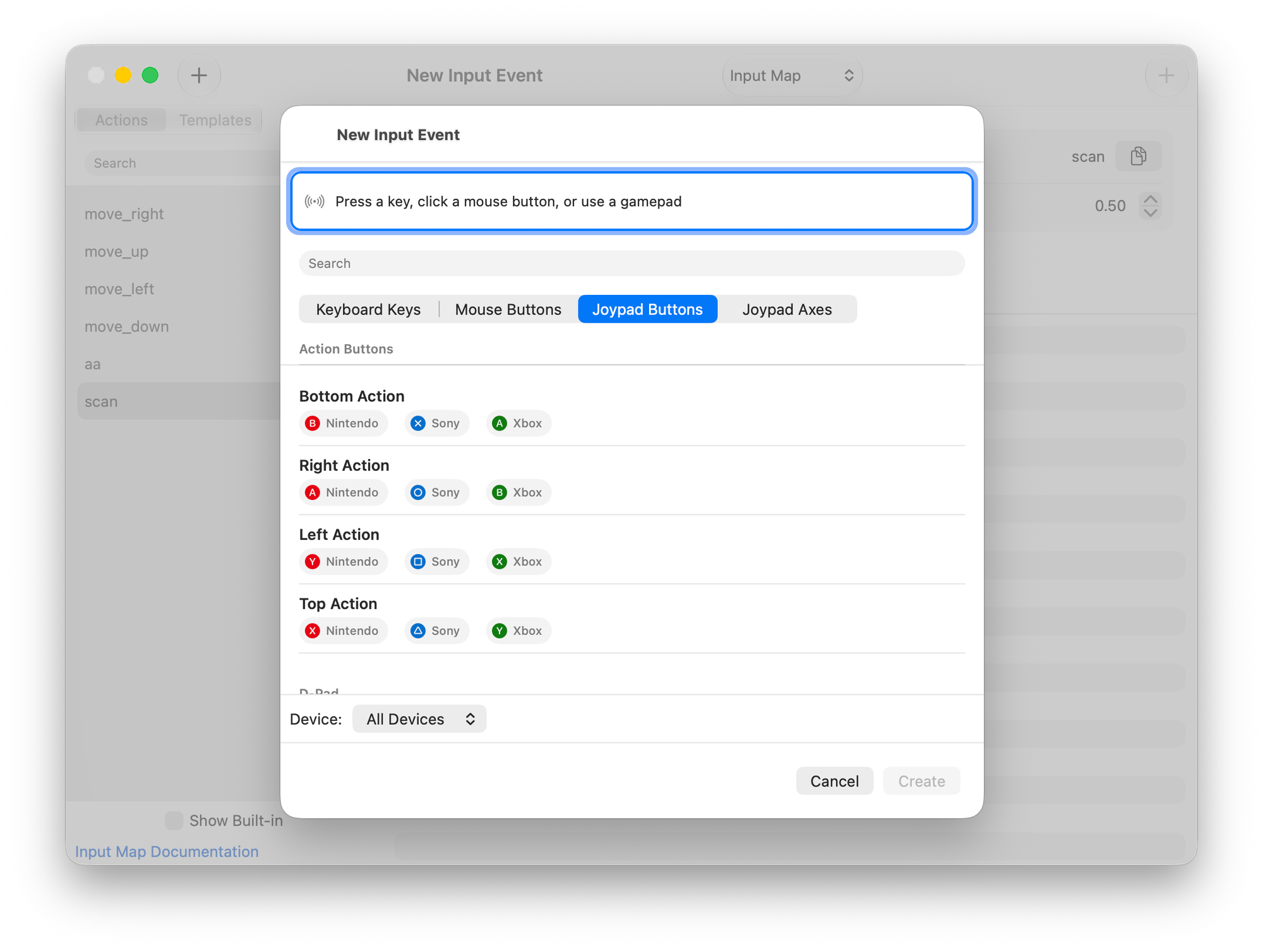
Learn more: Input Maps
Fundamentals
We are very proud of the nice features we added, but we have also been busy beavers and have been fixing the bugs that our community has reported around the clock. This is not as glamorous, but they do deserve a spot in the release:
- Add Node dialog now has support for optional Godot icons and moved the icon preference into Appearance settings.
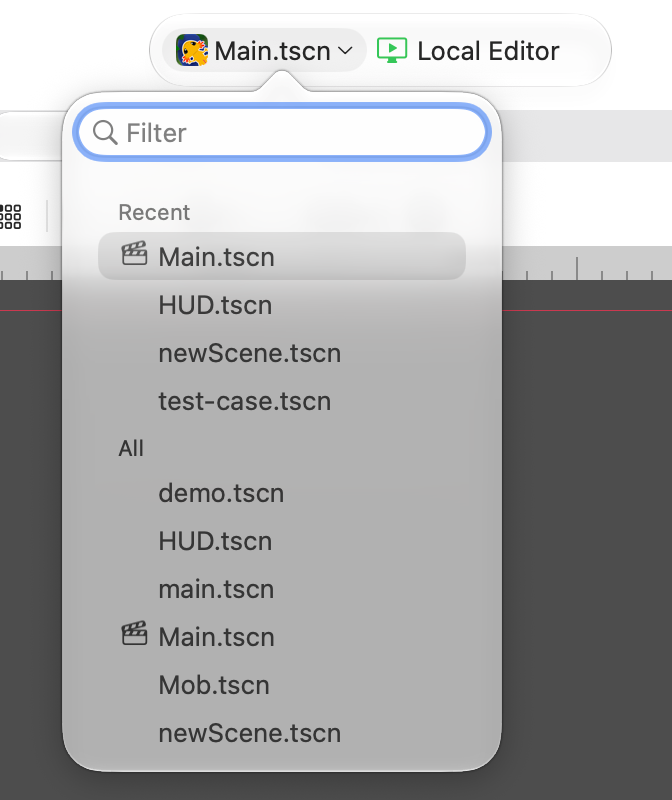
- Improved scene selection with a searchable picker - turns out some of you have a lot of scenes
- Polished the nested-resource menus and resource editing.
- Papercut fix: saving resources so they use the selected FileSystem location.
- Lots of small usability improvements to the script creation dialogs, including filename selection and more stable macOS sizing.
- The project-launcher rows now show the complete project path and a path tooltip - as clearly some of you have a lot of forks of projects.
- Improved embedded-game sizing so the game fits the available area above the bottom panel.
- Continued to work on command menus, toolbar styling, editor settings presentation, and menu naming.
- Performance: Improved inspector performance by reducing unnecessary redraws, animations, and property monitoring. It should feel a lot faster now
- Dozens of fixes to our code-editor tabs, keyboard handling, sticky scrolling, diagnostics presentation, and text selection.
- You can now display Godot properties in different styles (Capitalized, Localized or Godot naming)
- Added Asset Browser improvements including asset hiding, multi-type filtering, select-all and clear actions, asset size display, improved selection behavior, and better Asset Zoo handling.
I will not bore you with the bug fix details, you can read all about it in the cumulative release notes https://docs.xogot.com/documentation/xogot/mac-preview/
Beta 3 brings us much closer to our goal of having a great game development environment that feels completely at home on the Mac. We hope you will join us on our Discord Channel to share your experience and help us improve it.
The Small Print
Our .NET support currently works on the Mac, and for the next beta, we will enable deploying these projects to iPhone and iPad. The Swift support is complete (debugging, hot-reloading of editor plugins, deployment to devices, debugging on devices).
Download Xogot for Mac Beta 3