

Xogot on Mac.
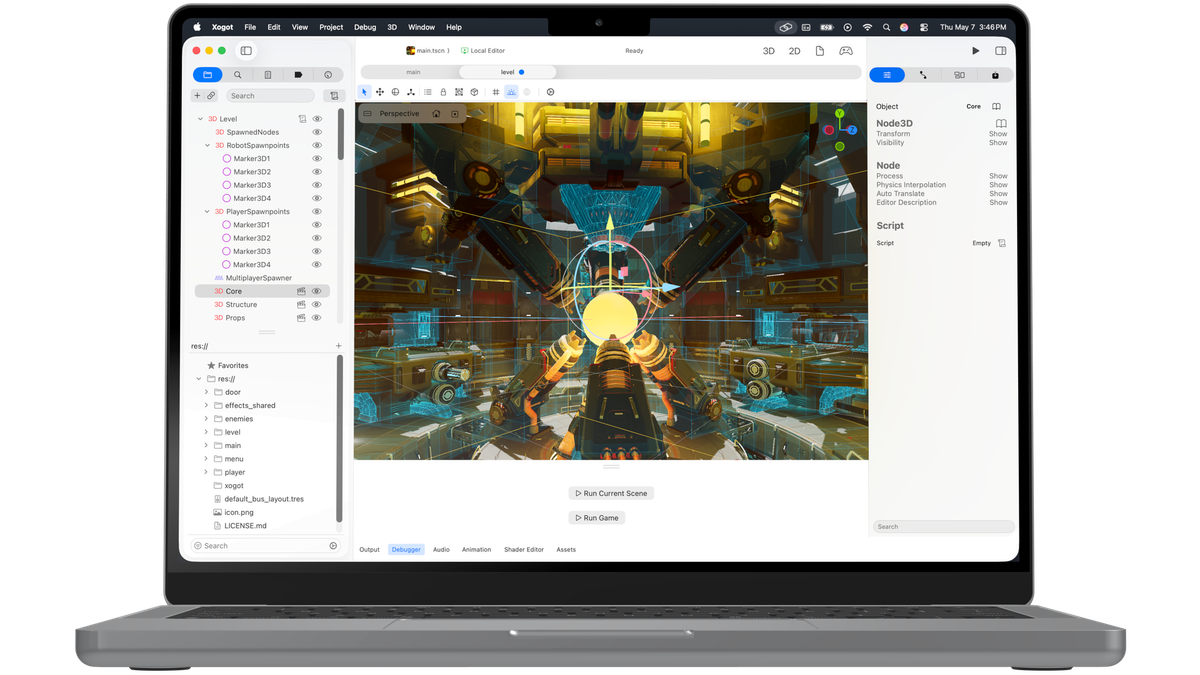
We are bringing Xogot, our styled version of Godot, to the Mac.
The Xogot for Mac beta is open. If you want to try it, you can:
Download Xogot BetaXogot was born as a native user interface shell on top of the Godot game engine for iPad devices, and later iPhone devices. Since we got started, we have tried to follow the Apple's Human Interface Guidelines and design guidance. We used our blog to document our progress and decisions, and documented how we rewrote chunks of Godot UI into native SwiftUI controls.
Why Mac?
A couple of things came together that pushed us to bring Xogot to the Mac.
First, while Godot remains a powerful desktop development environment, targeting our favorite Apple platforms from Godot can still feel a bit bumpy. We felt this ourselves last fall while building the Godot Apple Plugins, our contribution to the Godot ecosystem that helps developers access Apple platform APIs from their games. That work drew on our previous experience at Xamarin and Microsoft binding Apple APIs to make calling out to Apple native features more approachable for Godot developers targeting Apple platforms.

Yet, the end-to-end process did not bring joy. It still felt cumbersome.
Second, Xogot users kept asking us to bring the same Apple-centric experience to the Mac.
Because Xogot’s user interface was written in SwiftUI, and because we had already committed to Apple’s design system, bringing Xogot to macOS felt like a natural next step. That does not mean it was automatic. We still had to adapt many parts of the interface, study modern Mac applications, and rethink details so Xogot would feel true to the platform and the modern idioms on the Mac.
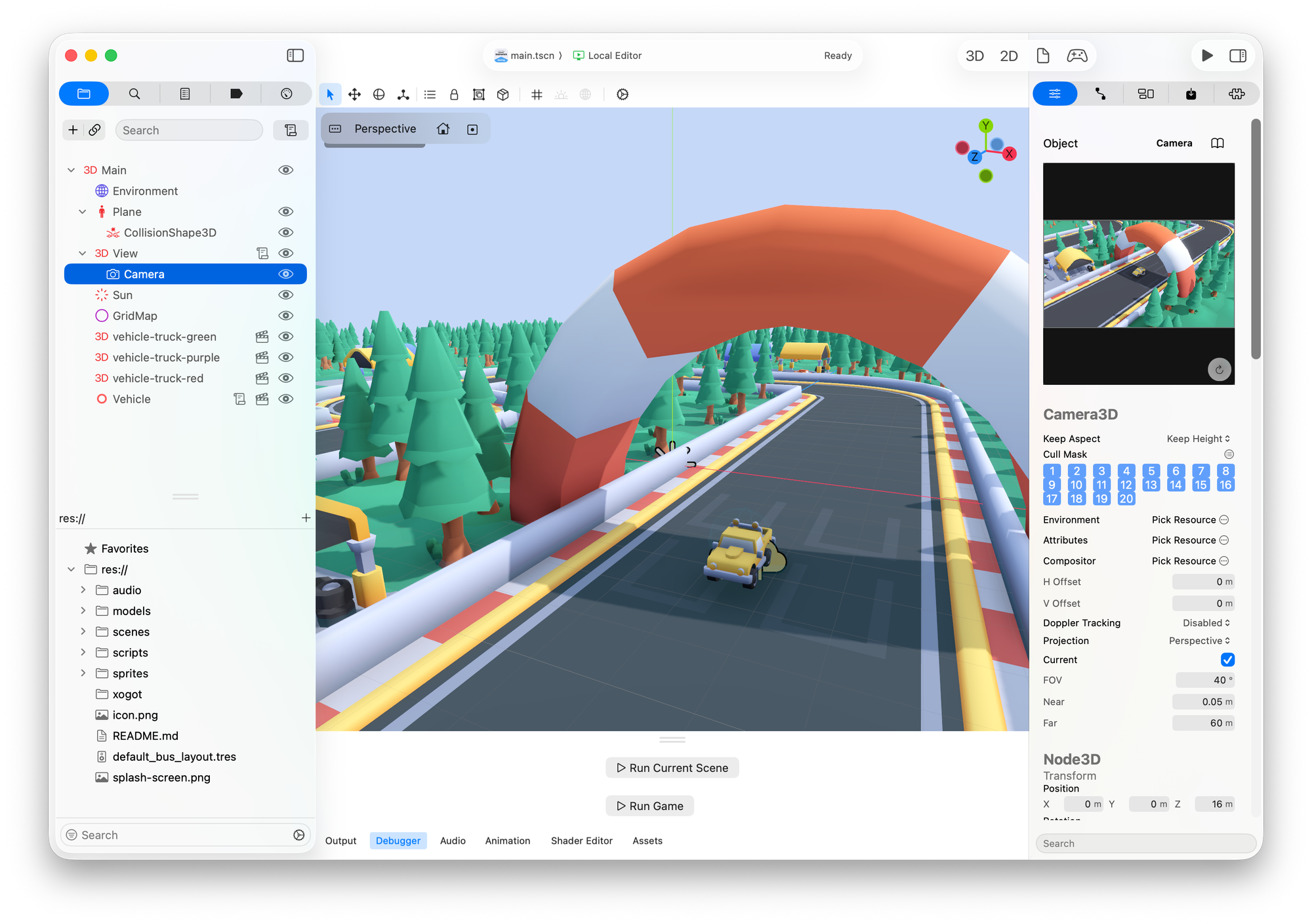
Our goal is to bring the same kind of ease of use that developers expect from tools like Xcode and Visual Studio to Godot developers targeting Apple platforms, while keeping projects compatible with Godot.
A first-class native Mac experience
Xogot for Mac is designed as a native Mac app, with the same goal that guided our work on iPad and iPhone: making the Godot editor feel at home on the platform.
Because Xogot’s interface is built in SwiftUI, we were able to start from the Apple-native user interface we had already created for iPad and iPhone. But bringing that experience to the Mac is not just a matter of recompiling the app. We have had to adapt the interface for macOS, taking inspiration from professional Mac apps like Final Cut Pro and Logic Pro.

Xogot for Mac is also heavily inspired by Xcode, which has shaped expectations for how developer tools should look and feel on the Mac, while refining the experience of building, testing, and debugging apps for Apple devices over decades.
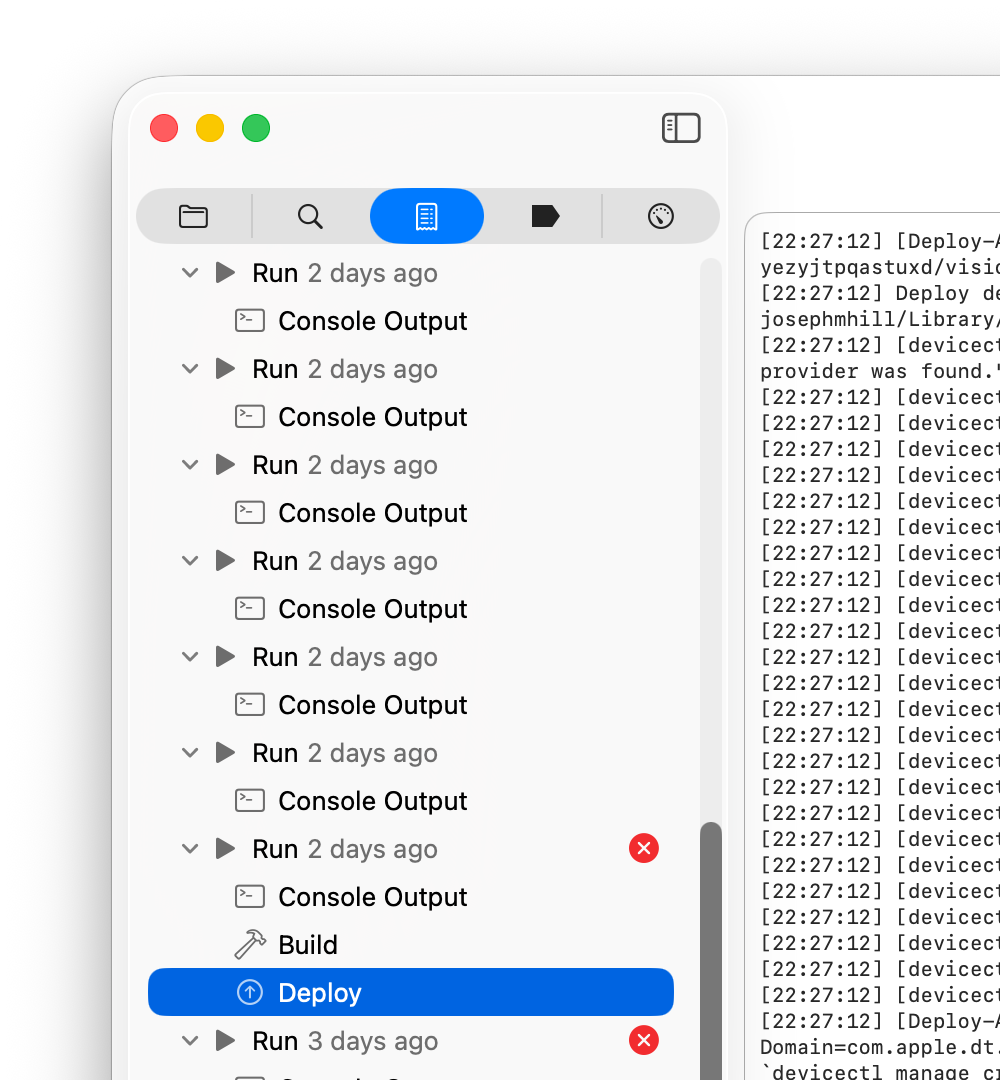
The Report Navigator tracks previous build and run logs, making it easier to compare output across changes and understand what happened during previous runs.
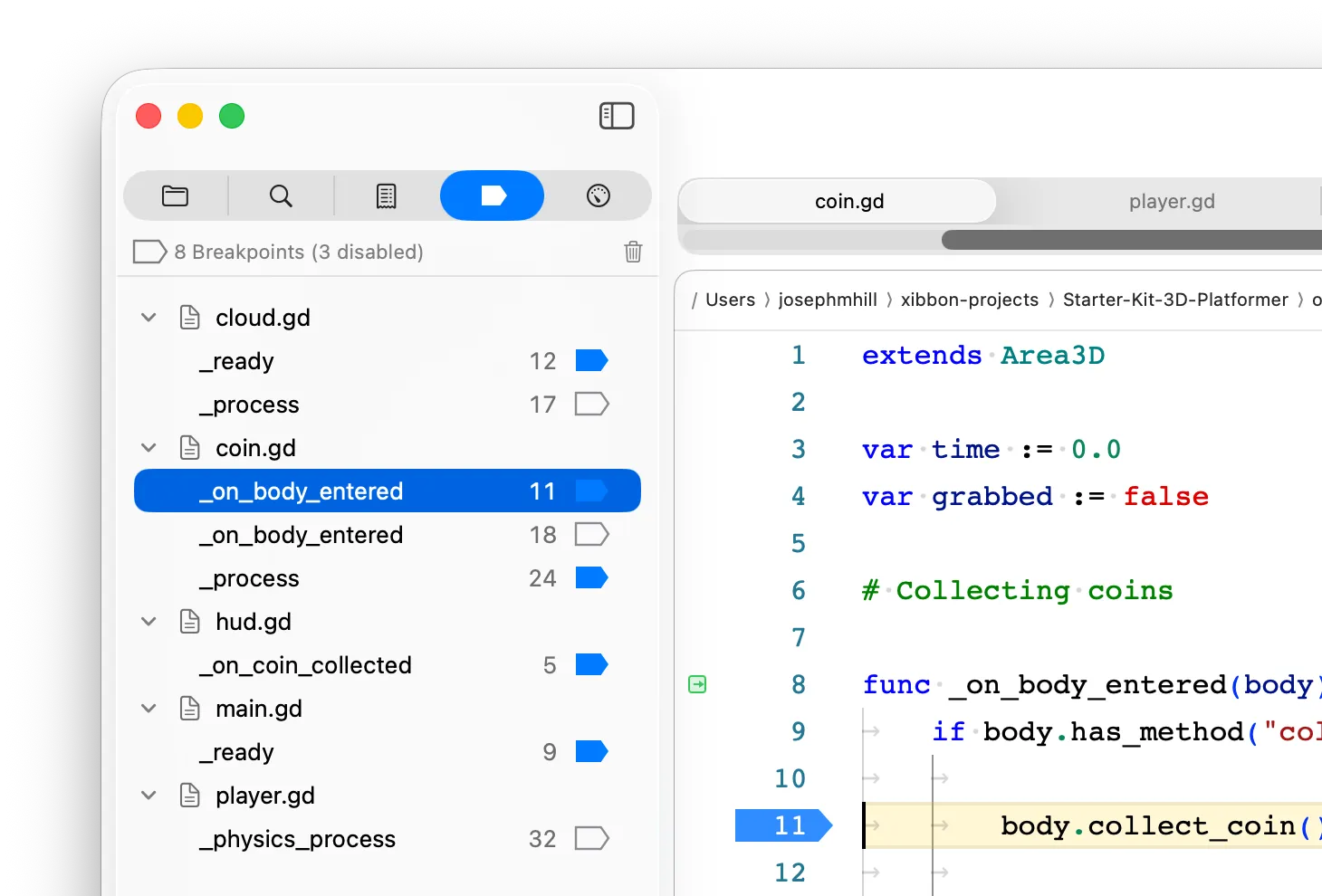
The Breakpoints Navigator gives you one place to review, enable, disable, delete, and jump to breakpoints across your project.
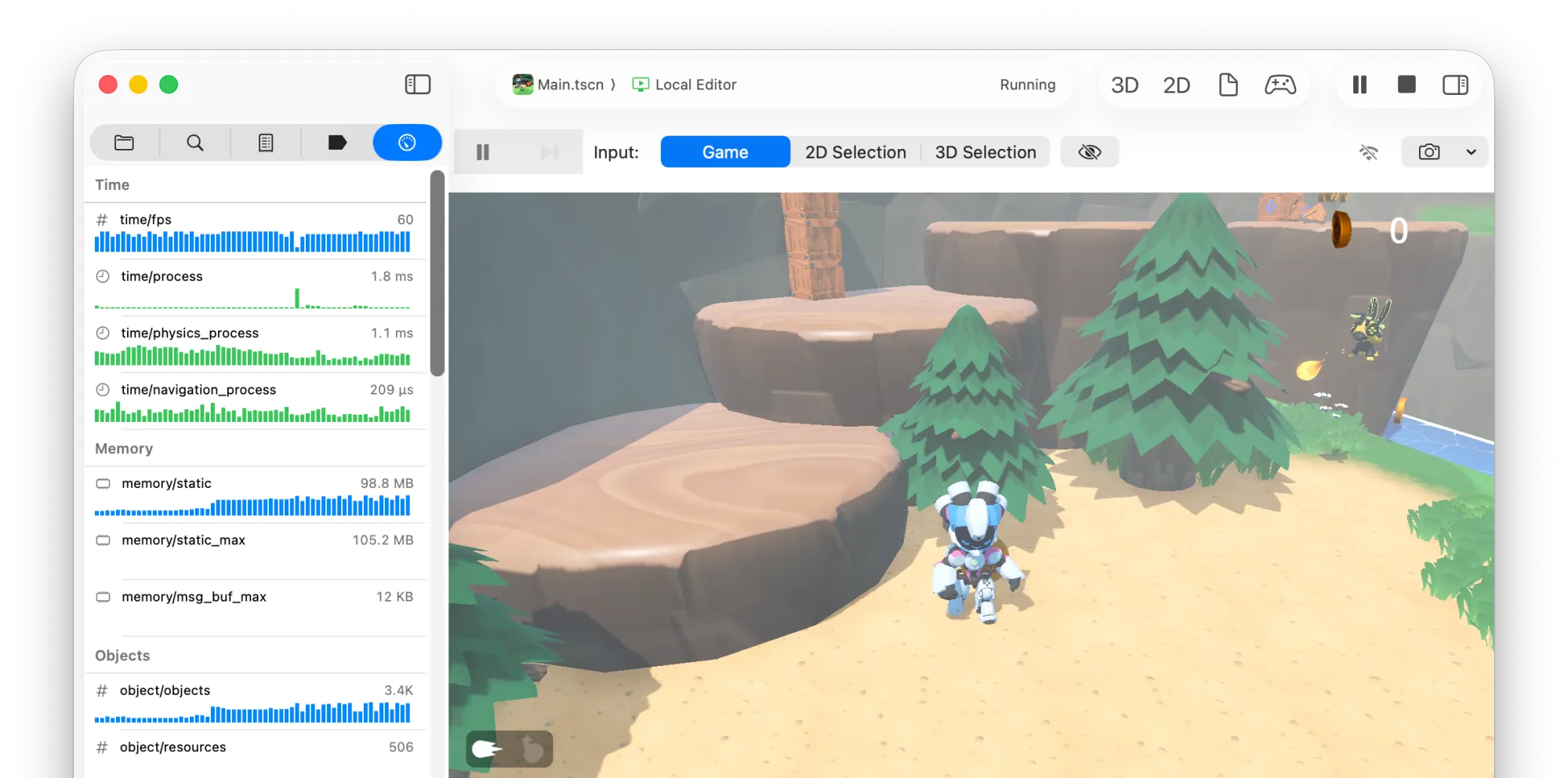
And when your game is running, the Debug Navigator gives you a live view into runtime information like frame time, memory, object counts, rendering, and other counters.
These navigators are part of a broader Mac-first workflow that we cover in more detail in the Xogot for Mac tour.
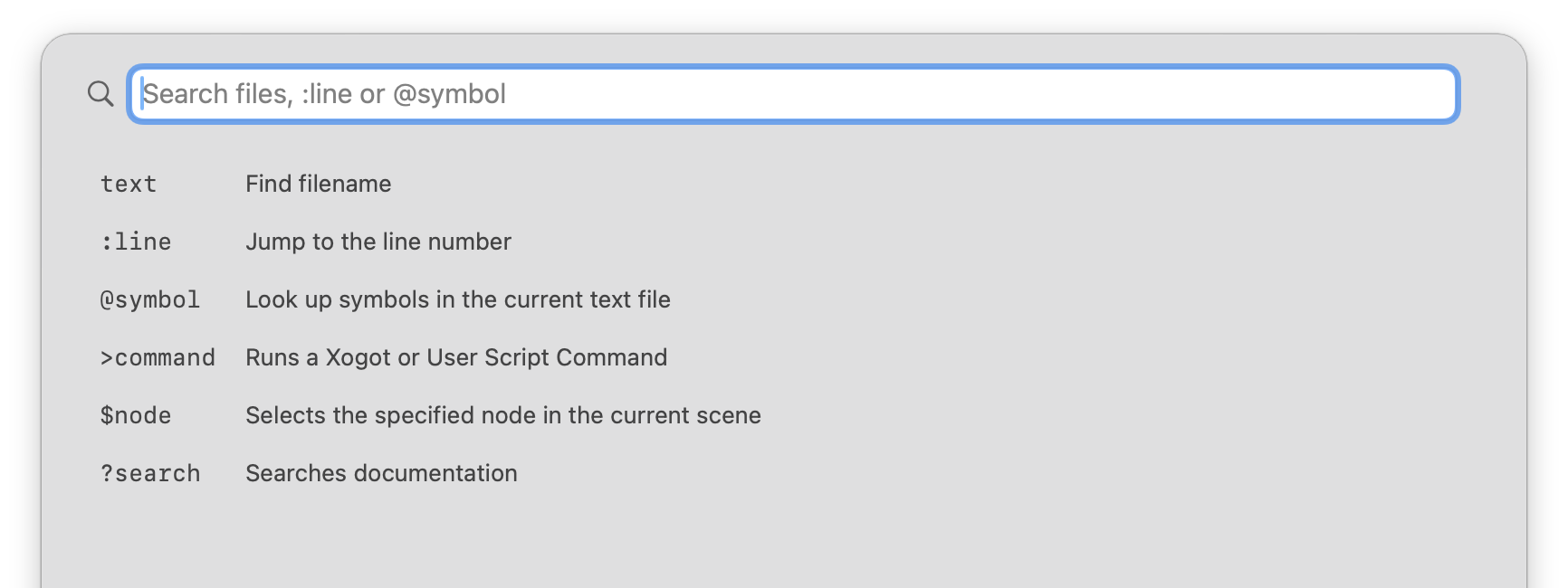
At the same time, we are drawing from the broader world of modern developer tools. Xogot’s Command Palette is primarily inspired by Spotlight Search on macOS and by Visual Studio Code, bringing fast keyboard-driven navigation and command discovery to the editor. On Mac, where professional users often expect to move quickly from the keyboard, the Command Palette helps you find the action you need without digging through menus or breaking focus.
Our goal is for Xogot to feel like a professional creative environment for game developers: a tool for building games with Godot that can sit comfortably alongside the apps in Apple’s Creative Studio, like Final Cut Pro, Logic Pro, Motion, and MainStage, as well as the other first-class creative and development tools Mac users rely on.
Apple deployment without living in Xcode
One of the biggest opportunities for bringing Xogot to the Mac is making Apple platform development feel more approachable for Godot developers.
Testing on devices, running in the iOS Simulator, signing Mac apps, and preparing builds for distribution often requires multiple round trips, between Godot, Xcode and your file system. If you are coming from Godot, the experience will be unfamiliar, daunting, and miserable.
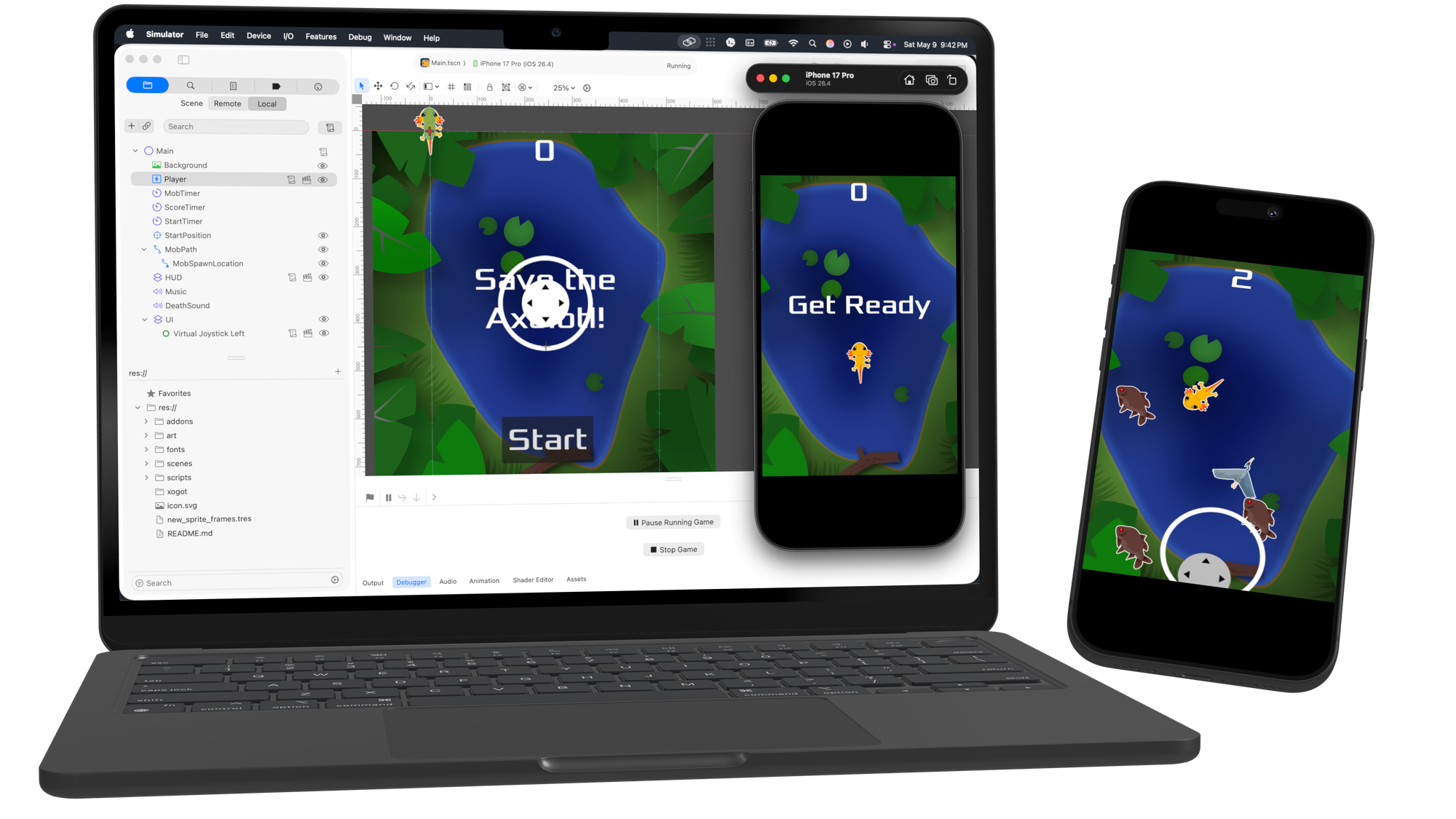
Xogot for Mac simplifies that experience, using Apple’s tools where they are needed while reducing how often you have to interact with them directly.
Our goal is to make running your game on an Apple target feel as simple as choosing the target you care about and pressing play. Want to share your game with friends on a Mac? You should be able to package it up without needing a PhD in certificates, signing identities, and provisioning profiles. Want to test on an iPhone? Xogot will handle the packaging, signing, deployment, and device connection details so you can get your project running and start debugging without fighting the toolchain.
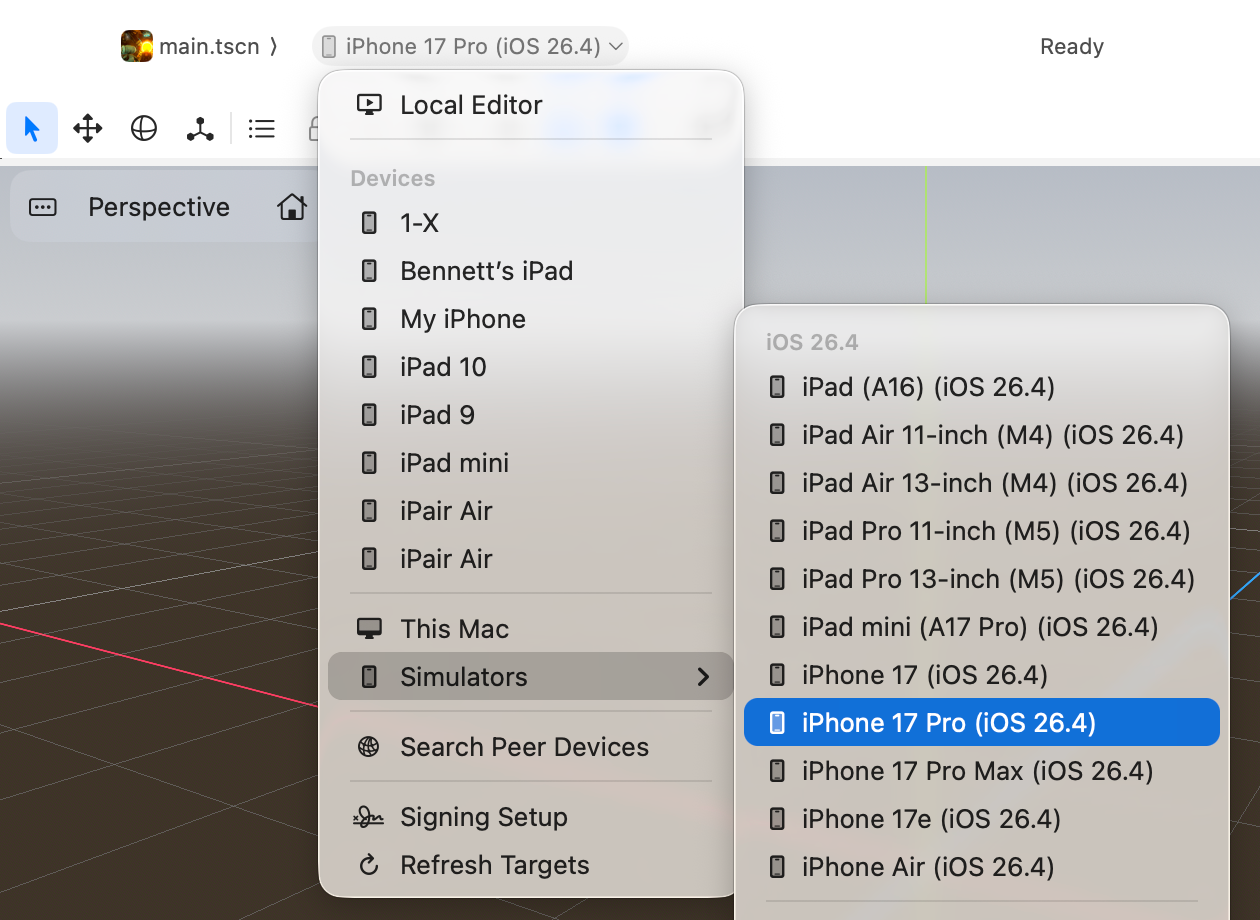
That matters most when you are iterating. If you need to make a change and test it on a device, you should not have to stop, export the project, open Xcode, rebuild, redeploy, and repeat the whole dance every time. Xogot for Mac makes that loop faster and more natural, so you can spend more time improving the experience on your target device and less time settling for “good enough” because the process is too painful.
A commercial offering for Mac developers
As with Xogot on iPad and iPhone, Xogot for Mac will be a commercial offering, but we want it to remain approachable for people who are learning, experimenting, or building smaller projects.
We expect to offer a free version of Xogot for Mac, alongside paid tiers for Xogot’s unique Mac features, deeper Apple platform support, and additional support options for professional teams and studios.
Join the Xogot for Mac beta
The Xogot for Mac beta program is open today.
You can download the latest Xogot for Mac Beta release:
Download Xogot BetaFor developers who want to follow along more closely, check out the Mac Preview documentation for release notes, current beta status, and known limitations, along with guidance on where feedback will be most useful as the preview evolves.
We’re excited to bring Xogot back to the Mac, and we look forward to sharing more as development continues.