

Xogot Modeler for Godot
We're bringing Xogot Modeler to Godot developers on Windows and Linux!
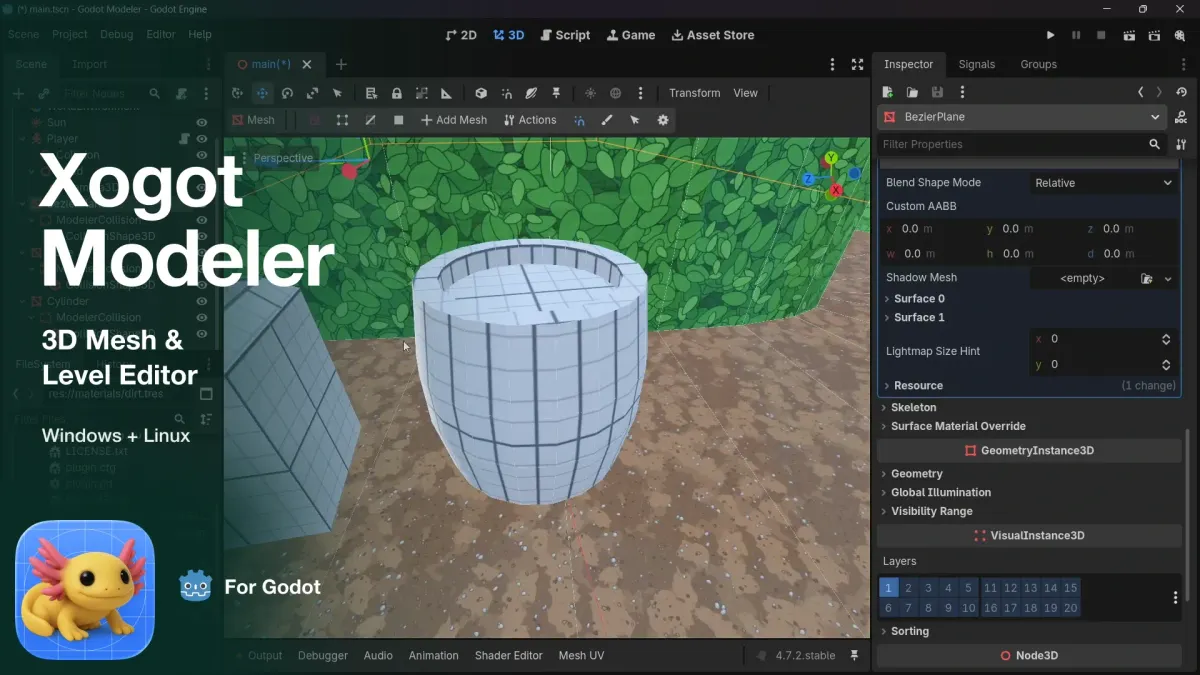
For our friends braving the heat of game development on non-Apple operating systems, we hope this feels like a refreshing glass of ice water.
Xogot Modeler is now available as a Godot addon, bringing our integrated 3D modeling tools to even more developers.
A Little Background
When we launched Xogot on iPad, one thing that was clearly missing for many of our developers was Blender.
There are some excellent dedicated 3D tools on iPad, including Nomad Sculpt, but we knew many developers were choosing Xogot for its touch-first experience, and we saw an opportunity to make that experience even better by bringing 3D modeling directly into the Godot editor.
That led us to build Xogot Modeler, our integrated 3D modeling tool inspired by Unity's ProBuilder.
Sketch Bézier paths and extrude them into curved geometry.
With Xogot Modeler, you can build levels, block out environments, and create simple props right inside the editor. Start with basic shapes, then manipulate vertices, edges, and faces to create more complex geometry. Extrude surfaces, bevel edges, draw curved shapes using Bézier paths, apply materials, and adjust UVs. The Modeler also generates collision shapes, so your creations can become part of a playable level right away.
On iPad, you can do all of this directly with your fingers, shaping the world of your game as you build it.
Make Godot Games Anywhere
One of our top priorities with Xogot has always been maintaining compatibility with Godot. We want developers to be able to move their projects freely between Xogot and Godot, regardless of which platforms they're using.
We designed the Modeler with that same principle in mind.
Everything you create with Xogot Modeler is made from standard Godot meshes and nodes. We preserve some additional metadata that allows the Modeler to continue editing your geometry, but your projects don't require a special runtime or any proprietary mesh format.
Vertex, edge, and face editing
That means you can build a level on your iPad, open it in regular Godot on your desktop, and continue developing your game. All of your geometry works as expected, even without the Modeler installed. You just won't have access to the Modeler's specialized mesh-editing tools.
Naturally, we also brought Xogot Modeler to Xogot for Mac, so developers working across iPad and Mac could continue editing their meshes on either device.
But we kept hearing from developers who wanted one more thing.
You Asked, We Listened
The instant we announced the Modeler, we started hearing from developers who loved using it on their iPads but also worked in Godot on Windows or Linux, or collaborated with teammates who did.
They loved being able to build geometry on their iPads and use it in their desktop projects, but they wanted those meshes to be editable everywhere using the same tools.
And that seemed like a perfectly reasonable request!
We want Xogot to fit into the way people already develop games, not force them to change their workflows or commit to a particular platform.
So we decided to bring Xogot Modeler to Godot as an addon.
Apply materials to selected faces and give your geometry its own look.
Fortunately, we had a bit of a head start. Xogot is written in Swift, which is cross-platform. While much of Xogot's interface uses Apple's SwiftUI, the Modeler has a relatively lightweight UI, making it a good candidate for extracting into a Godot extension using SwiftGodot.
Now you can build a level on your iPad, continue shaping it in Godot on Windows or Linux, and pick up right where you left off. Or you can use Xogot Modeler entirely on your desktop, without ever touching an iPad.
It's the same modeling experience, available to more of the Godot community.
Want to see it in action? Here's a closer look at what you can do with Xogot Modeler:
Try It Today
Xogot Modeler for Godot is available now in beta for Windows and Linux. If you're on a Mac, Xogot Modeler is already available in Xogot for Mac, which is also in beta.
Both are free to use during the beta period.
- Windows and Linux: Get Xogot Modeler for Godot
- Mac: Download Xogot for Mac Beta
- iPad and iPhone: Get Xogot
We're still improving the Modeler and are particularly interested in hearing your feedback. If you give it a try, please let us know what you think and what you'd like to see next.