

Xogot for Mac Beta 4
Big updates come to the Mac: Xogot Modeler, Native AnimationTreee Editor, new Export targets, Side-by-side Godot 4.6 and 4.7, and much more
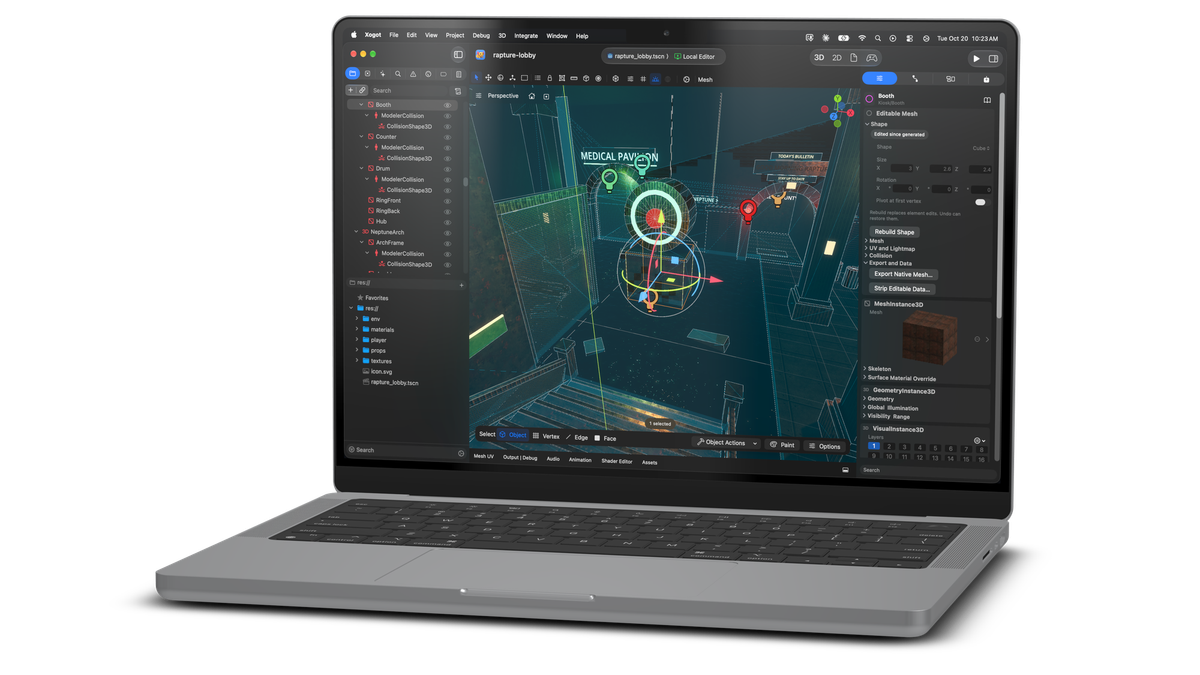
Beta 4 is a big release. It adds a full 3D modeler to Xogot. It moves Xogot to Godot 4.7. On the Mac, you can now export your game to every major platform.
Download Xogot for Mac Beta 4Here is what all is new.
Godot 4.7, Side by Side with 4.6
As with Xogot on iPad and iPhone, Xogot for Mac now runs Godot 4.7. And, if you still need to maintain Godot 4.6 projects, you can keep multiple versions installed on the same machine.
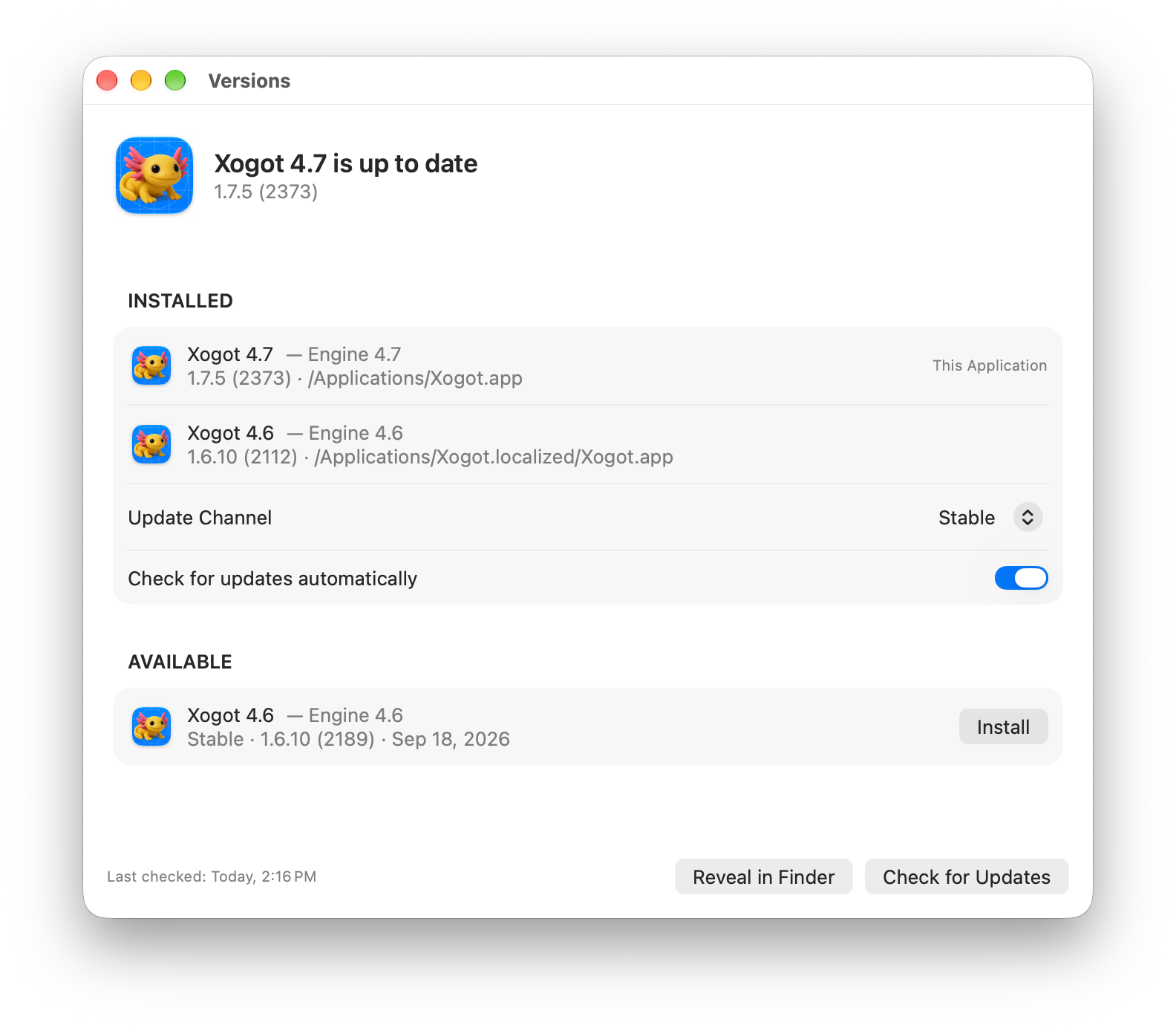
When you upgrade, Xogot keeps your 4.6 editor and renames it. You can use both editors. Many game studios keep more than one engine version installed, and on Mac we plan to support running new and upcoming releases side-by-side with long-term-supported releases.
- Versions window: Manage your installed versions, update channels, upgrades, and downgrades.
- Version matching: If you open a project made with a different Godot version, Xogot offers to open it in the correct editor.
- New 4.7 tools: Pilot Camera, trackball rotation, Follow Selection, the 3D ruler, and Path3D Snap to Colliders are all available in the Xogot interface.
- Godot-style 3D navigation: Navigation presets and modifier keys for pan, zoom, and orbit now work the same as in upstream Godot.
- Learning Center: New samples, tutorials, and videos for Godot 4.7.
Export Improvements
Our initial focus was for Xogot to remove the friction for Godot developers to target Apple's platforms like iOS and MacOS - we made those deployments faster and they long packaging tasks run in the background.
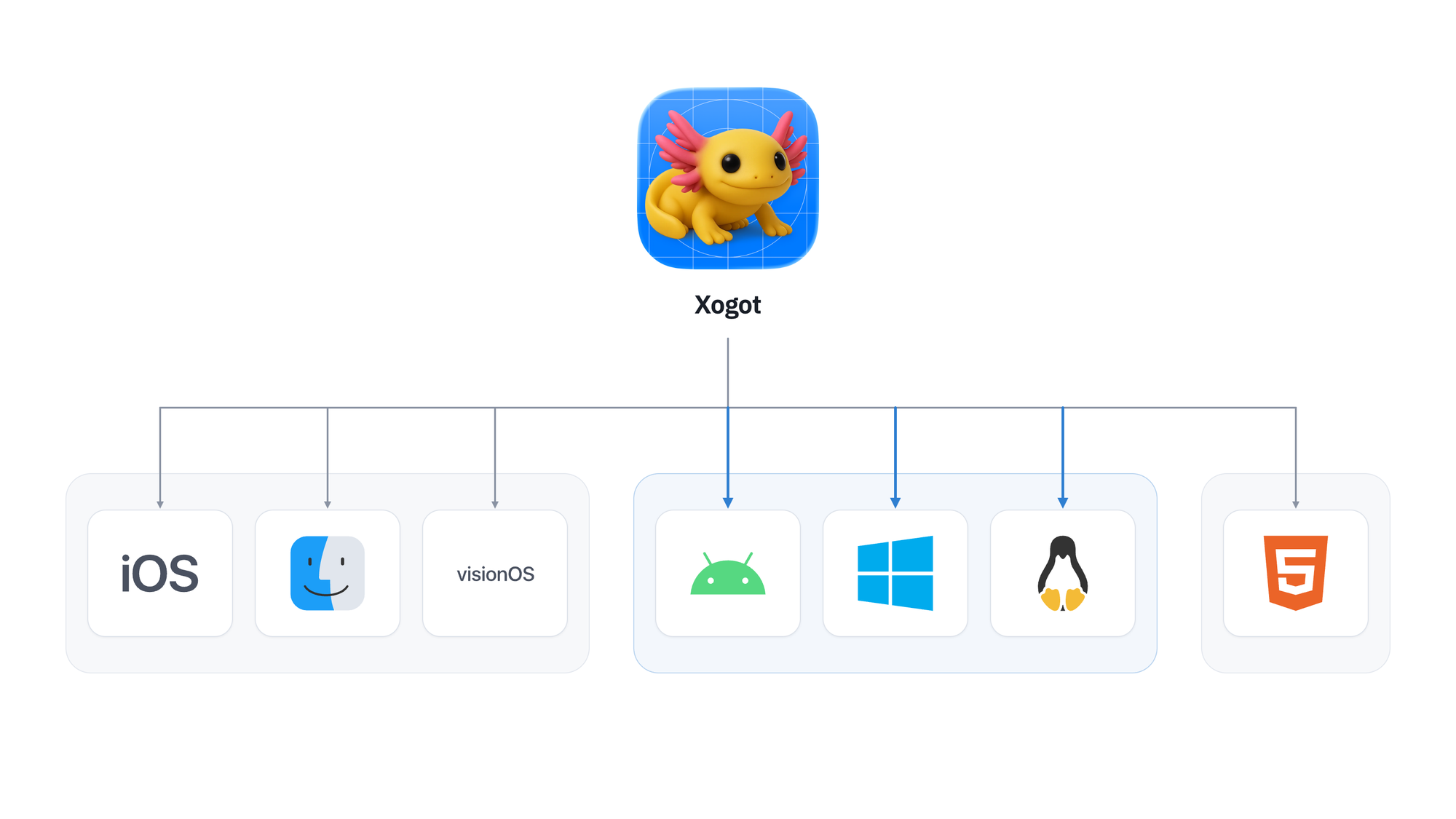
In Beta4, we have brought Godot's extensive export platform support to Xogot, so you can now export your game to Android, Web, Linux and Windows using the official Godot templates.
Lastly, we are making it very easy to share your Web exports with team mates, or publish them to the public directly from Xogot to our game hosting site at https://games.xogot.com.
All the export primitives are also available via the xo automation command, so your AI agents can export and drive your games directly to any of the supported platforms.
Better C# Development
Xogot can now export your C# projects to your iOS devices using .NET's Native AOT and we made the entire experience as smooth as our Swift experience. Choose your target, hit run, sit back and relax.
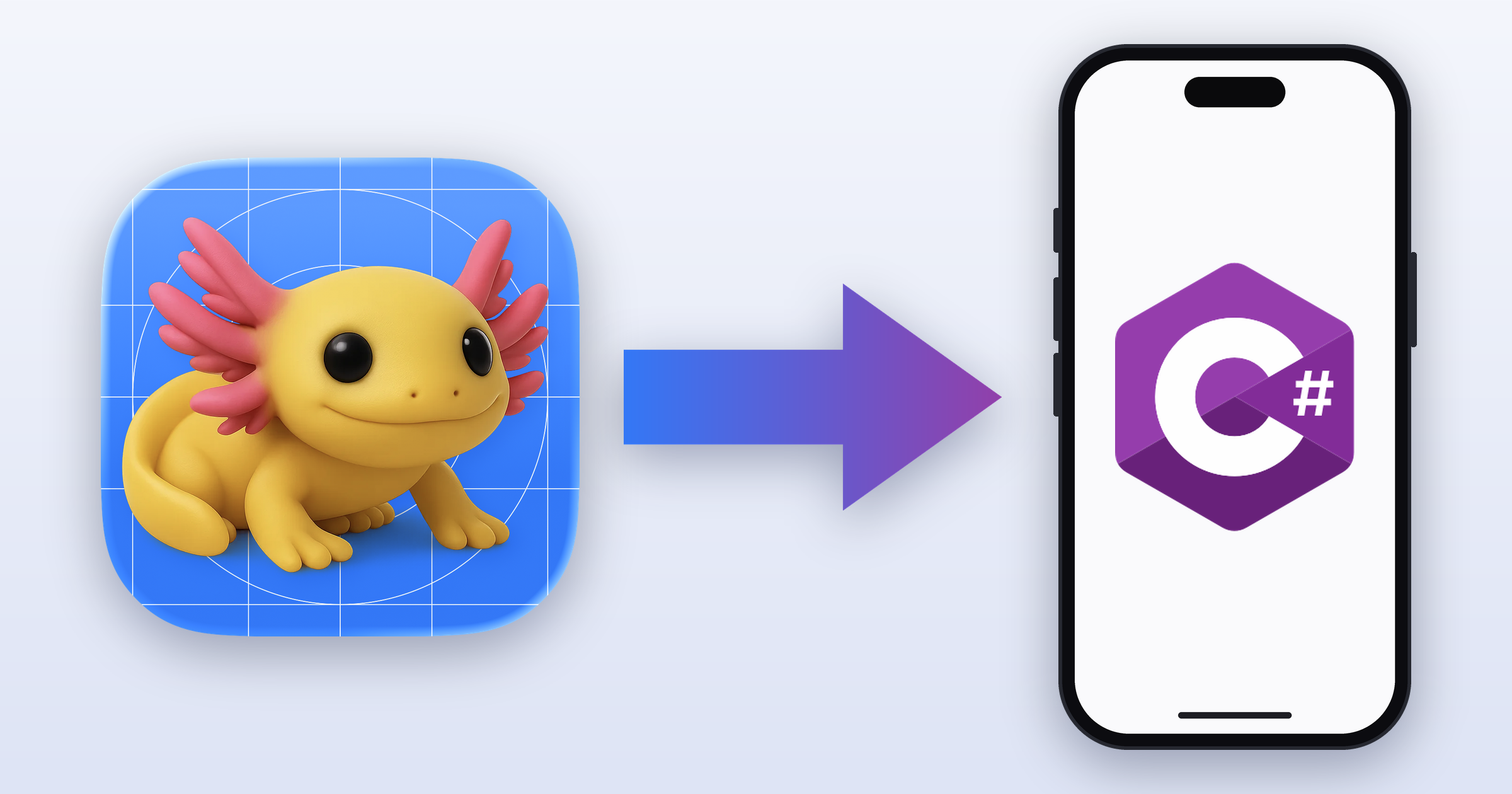
Typically, we use a native .NET debugger, but when deploying to iOS devices using .NET's native AOT, we use the LLDB debugger, the same support that we added for Swift. In this mode, the data exploration is limited to the idioms that we can express in LLDB and we support strings, array, lists, null references, Godot strings sand arrays.
Better Swift Development
We also continued to improve our Swift support in this release.
When running in Swift mode, the debugging prompt is now a proxy to LLDB, so you can issue the commands that you are used to when debugging Swift in Godot and we support the convenient b file:line syntax that will set a breakpoint in the editor code.
We improved our support for converting loose Swift files into a proper package. Swift loose files are nice to prototype, but at some point, you will want to organize your code - and we can take care of that for you now.
The Rename Symbol functionality also works across Swift and GDScript files.
Lastly, we are now bundling the latest SwiftGodot to maximize your delight.
Native AnimationTree Editor
We replaced Godot's AnimationTree node editor with an Apple-centric version and one that we think is more approachable to newcomers to the animation tree space.
Part of the work was adapt the Godot UI to meet Apple's HIG, but another part was trying to provide cues to the user as to what is going on. For the Blend1D and Blend2D editors, we wanted to make it simpler to visualize the animation blending and control it. Both show each animation’s share of the blend as a percentage. These values update as the blend position changes, so you can see which animations contribute and by how much.
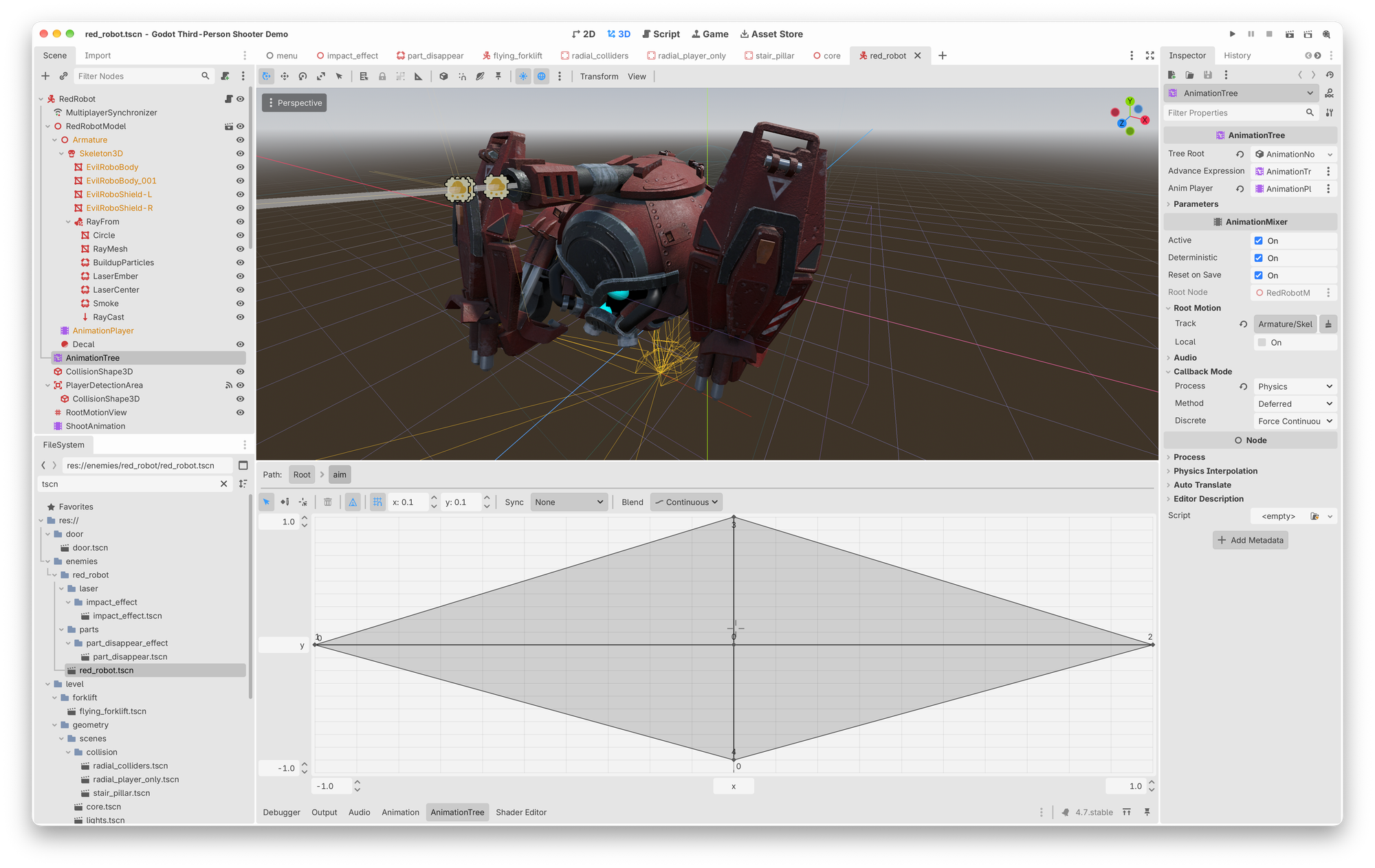
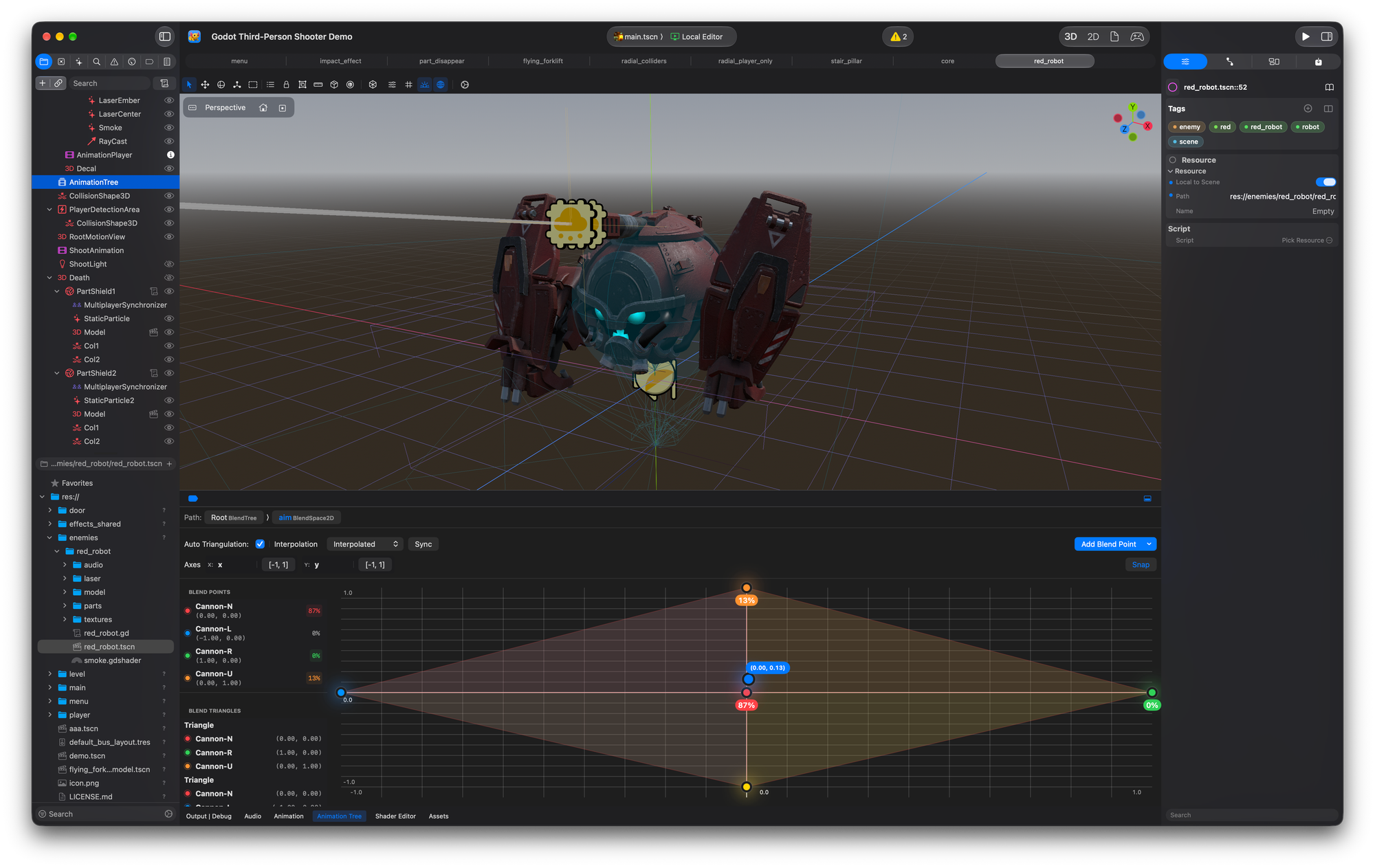
Blend 2D Animation controls in Godot and Xogot.
Blend2D combines a grid and shaded triangles with matching point colors and percentage labels. Its side lists show point names, coordinates, and the three points in each triangle. Large drag targets make both editors easier to use with touch.
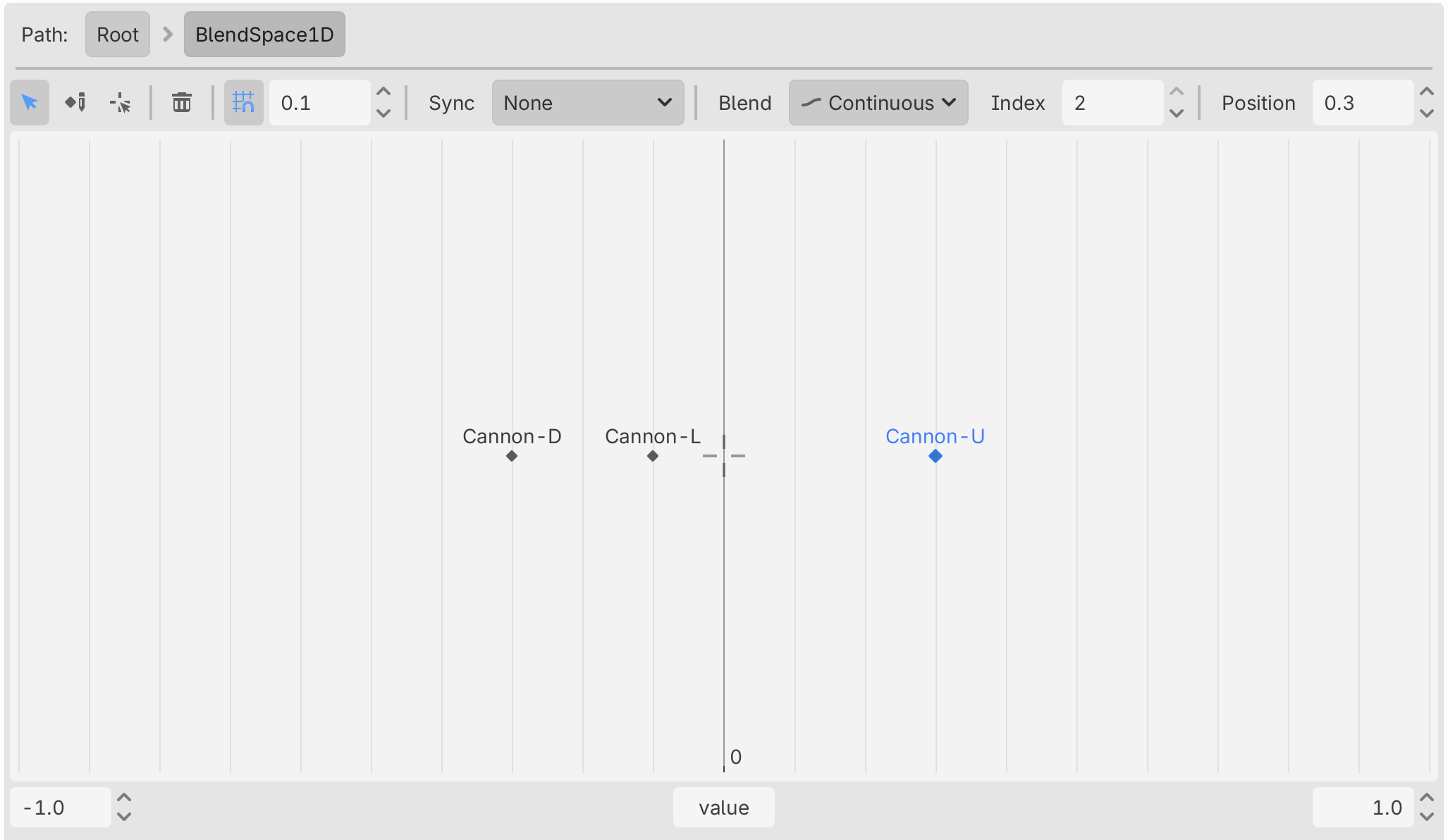
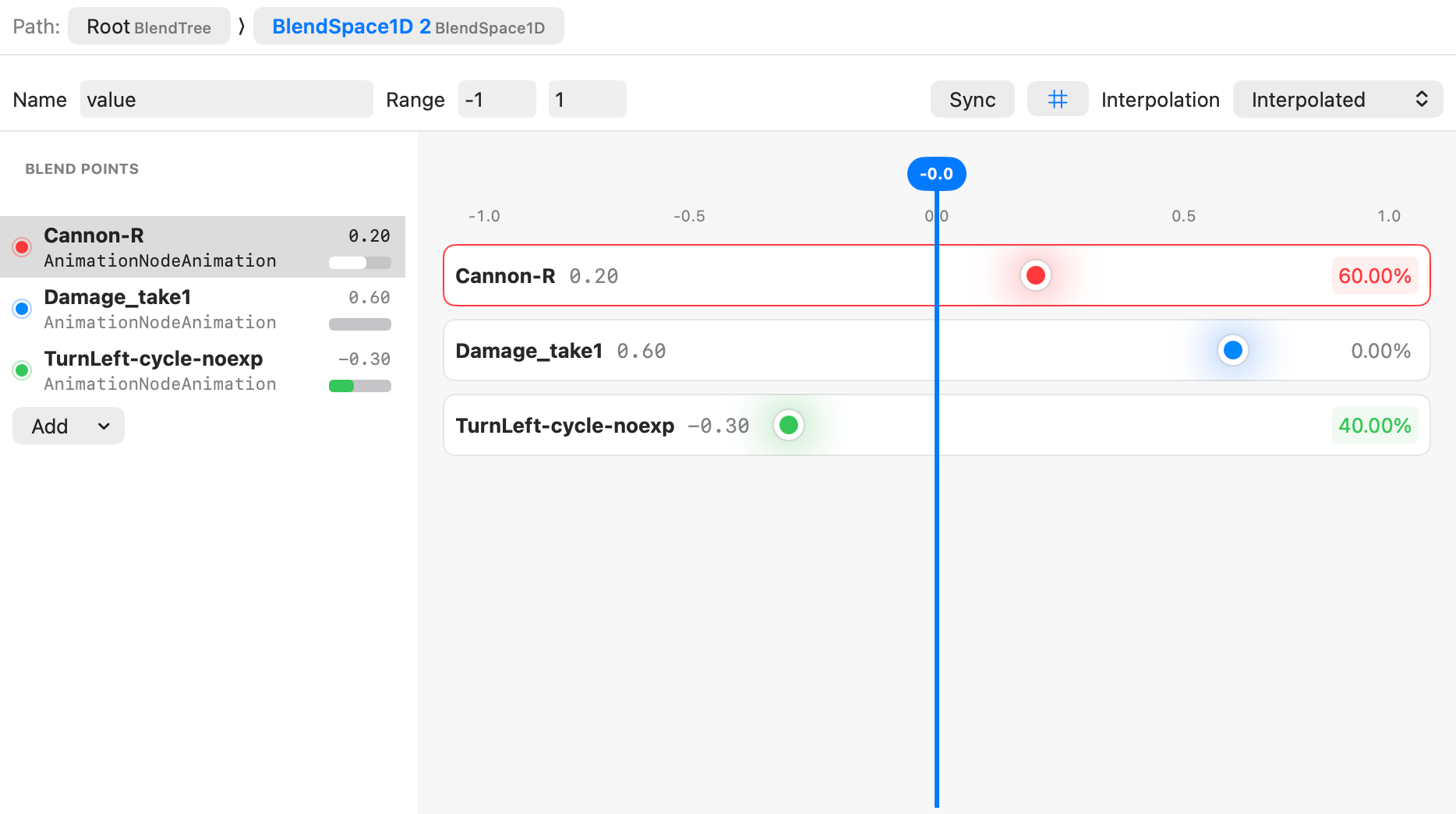
Blend1D Animation controls in Godot and Xogot.
Blend1D gives each animation its own named row with a position marker and a shared blend cursor - rather than having all the points in one dimension. Points stay separate even when they have the same position.
Our approach adds explicit blend percentages and separate lists. This helps you identify points, check transitions, and adjust the blend with less guesswork.
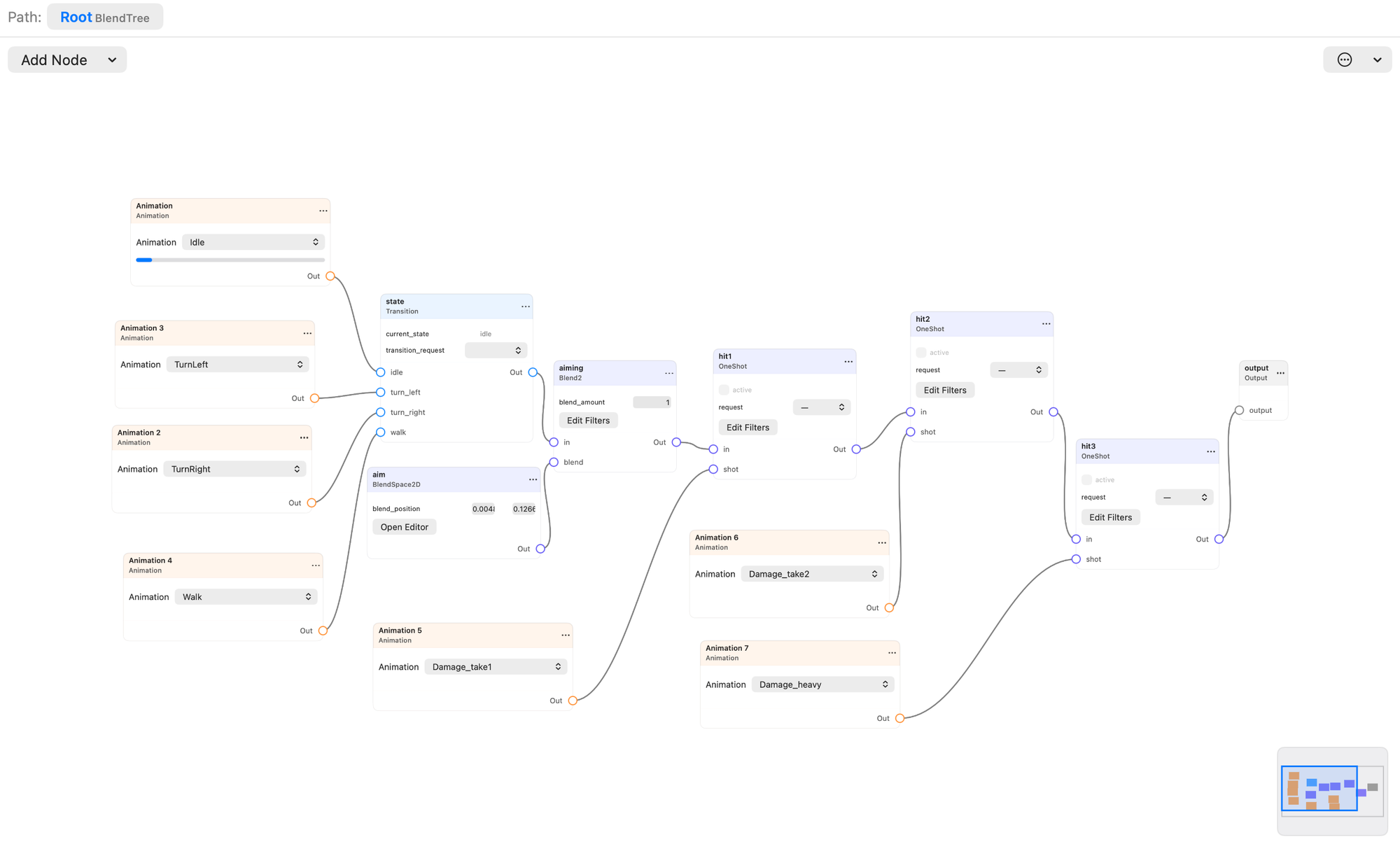
We also redid our BlendTree and StateMachine editor using a custom graph editor. The initial impetus was to support the touch controls on the iPad and the iPhone, but it worked great on the Mac. That said, just as we completed this work back in June, Apple released a new version of Reality Composer with some phenomenal visual elements for their graph editors that we intend to bring.
Build 3D Worlds with Xogot Modeler
Xogot Modeler lets you create and edit 3D geometry directly in your Godot scenes, without constantly switching between your game editor and a separate modeling application.
This is great for things like building out an environment, greyboxing a dungeon, or creating props for your game. You can start with simple primitives like boxes, cylinders, and stairs, or draw your own shapes using Bézier curves. From there, you can work directly with vertices, edges, and faces to extrude walls, bevel corners, cut openings, and refine your geometry.
Greyboxing a dungeon using a Bézier path
Xogot Modeler includes tools for assigning materials and colors, editing UVs, smoothing surfaces, generating collisions, and turning your geometry into finished game assets.
Made for the Mac
On the Mac, we've added keyboard shortcuts that can make modeling faster and more precise.
Blender-inspired shortcuts let you press G to move geometry, X, Y, or Z to constrain movement to an axis, and enter numerical values for precise adjustments. Bevel Mode offers live previews with controls for the profile, segments, and amount of beveling.
We've also included more advanced tools like Boolean operations, soft selection, and Bézier-based modeling for quickly creating curved walls, roads, and other shapes. Modeler operations integrate with Xogot's Inspector, keeping the editing controls close at hand without cluttering your scene.
Still Godot Under the Hood
Everything you build with Xogot Modeler uses standard Godot meshes and collision nodes. Xogot preserves additional editing information so you can continue modifying your geometry, but your projects remain compatible with regular desktop Godot.
And with Xogot for Mac and Xogot for iPad both based on Godot 4.7, you can easily work on the same projects across your devices.
For a closer look at what's possible, including complete environments built with Xogot Modeler, extrusion workflows, and Bézier modeling, check out Miguel' recent Xogot Modeler introduction blog post.
A Coding Assistant That Asks Less
The Coding Assistant now uses CodeMode from PiSwift. With CodeMode, the assistant needs your approval for external tools much less often. If you prefer Bash, tell the assistant to use it.
The new Allow Edits mode is between Ask and full access. The assistant can edit your project without a prompt for each change. Other actions still need your approval.
There is more:
- A separate window: Open the assistant in its own window. Press Command-Shift-0, or click the window icon on the AI tab. You can also make the window the default in Settings.
- A better composer: Attach project context and assets to your message. The composer completes project files, scene notes, and settings as you type.
- MCP servers: Add and manage MCP servers in AI Settings. Xogot keeps your tokens in the Keychain. You can also import your servers from Claude and Codex configurations.
- Code review: Start a review with
/reviewand end it with/end-review. - New models without an update: Xogot downloads the latest model catalog from pi.dev. New models are available as soon as they are released.
- Custom providers: Edit the credentials, endpoints, and model lists of your provider accounts.
- External agents: Use opencode and Hermes with Xogot.
- A new transcript design: Compact work regions, tool activity that you can expand, and summaries of time and usage. Long conversations scroll smoothly.
Let Your Agents Drive Xogot
The xo command lets AI agents and scripts control Xogot. In Beta 4, xo can do much more:
- More commands: Work with classes, files, resources, GridMaps, input maps, and running games.
- Screenshots: Capture the editor, embedded games, and games on remote devices.
xoselects the correct source and camera for you. - Modeler commands: Make and edit meshes from the command line. For example:
xo modeler create /Wall --type cube. - Components: Use
xo componentto install and remove language support and export templates. Xogot does not need to be running. - Better
xo eval: Timeouts, awaited calls, and clearer error messages. - Structured output:
xo project runand batch commands report errors in JSON, so agents can act on them.
Editor Improvements
- MeshLibrary editor: Make mesh libraries and use them with GridMap.
- GraphEdit minimap: Navigate large graphs with the minimap, or pan with the Magic Trackpad.
- New macOS file picker: Favorites and recent files in a sidebar, table and icon views that you can sort, and grouping.
- Metadata editing: Edit object metadata in the Inspector.
- Bone Map controls: Map Skeleton3D bones in Advanced Import Settings, with humanoid and automatic mapping.
Try Beta 4
Update to Beta 4 and build your next level in the Modeler. Export it to a new platform. Let the Coding Assistant help you out.
Download Xogot for Mac Beta 4As always, tell us what you think. Your feedback shapes every release.