
Everything We Added This Year to Help You Learn Xogot
Over the past several months, we’ve been picking up momentum in publishing documentation, tutorials, and instructional content designed to help people get started with Xogot and deepen their understanding of how to make games with Godot on iPad and iPhone.
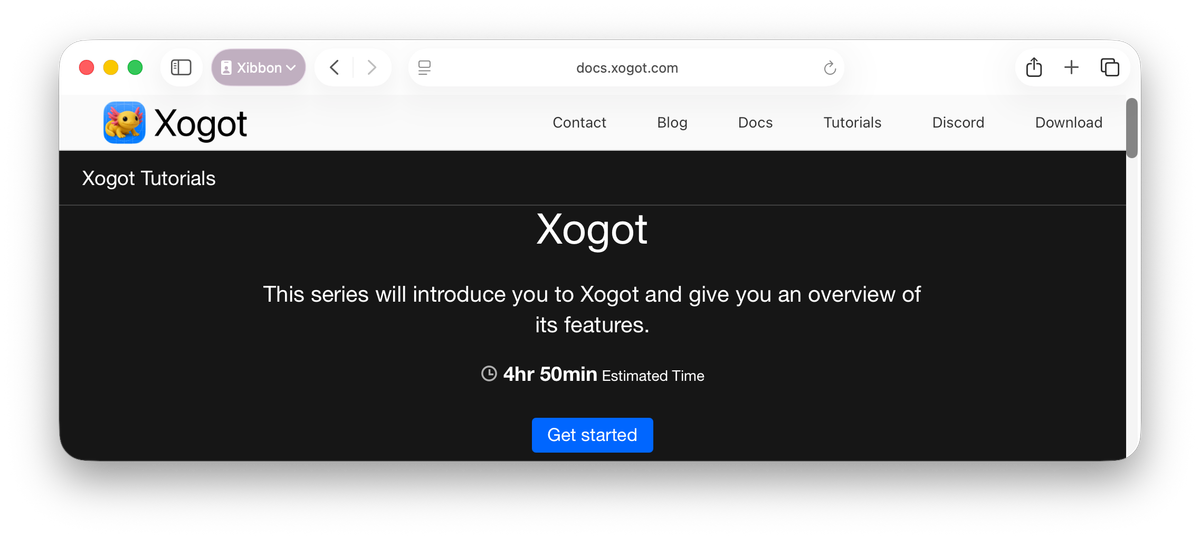
As we wrap up 2025, we wanted to take a moment to highlight the learning material that has come online recently to help you start building games on the go.
Xogot Docs: New Tutorials
Earlier this year, we made the XogotDocs repository public and began accepting community contributions. The repo includes both Xogot-specific documentation and a growing collection of Godot manuals and tutorials converted into the DocC format that powers docs.xogot.com.

One of the highlights is a complete rewrite of Godot's Your First 2D Game tutorial, adapted for Xogot by Nicolas St-Amour. The new version, Save the Axolotl, features new artwork and is tailored specifically for Xogot. It and walks players through building a simple 2D game where our hero tries to evade capture by the axolotl's natural predators - herons, snakes, and invasive carp.
In addition to Save the Axolotl, Nicolas also reworked the Godot Step-by-Step tutorials for Xogot, walking you through understanding nodes, signals, getting started with coding in GDScript, and responding.

Both tutorials include extensive screenshots taken directly in Xogot, making it easy to follow along and discover where everything lives, whether you are coming from desktop Godot or are brand new to game development.
Beyond tutorials, we have also received contributions that bring over and refine core reference documentation, including Xogot-specific pages covering Area2D, 2D movement, size and anchors, and more.
Video Tutorials
Documentation is only one piece of the learning puzzle. Throughout the year, we have also published a growing library of video content to support different learning styles. You can find all of the videos highlighted below in our Xogot Game Development Tuorials playlist on YouTube, which we continue to expand as new content is released.
Xogot for Godot Devs
Xogot for Godot Devs
If you are already familiar with Godot on the desktop, this video will help you get comfortable working in Xogot. Joseph Smithberger (woaf in the Xogot Discord) walks through where tools have moved, why the interface looks different, and how Xogot adapts Godot’s workflow for a touch-first environment.
3D Tutorials
WorldEnvironment Basics
In our first video in our Modular 3D Game Development Series, Erin Uptegrove introduces the WorldEnvironment node and shows how it shapes the look and feel of your 3D scenes in Xogot.
Introduction to Lighting
In her follow-up Introduction to Lighting video, Erin explores the core 3D light nodes in Xogot, including DirectionalLight3D, OmniLight3D, and SpotLight3D. She covers when to use each one and which settings matter most when lighting your 3D scenes.
2D Movement
Build Smooth and Customizable Platformer Movement in Xogot
Jhelson Gonzalez (Jhello) produced several amazing tutorials introducing various 2D movement concepts, including how to build create satisfying platformer movement.
Smooth Top-Down Player Movement in Xogot
In Building Smooth Top-Down Player Movement, Jhello shows how to build a responsive top-down player controller in under 15 lines of code.
Using Tap-to-Move and Directional Sprites
In his tutorial on using tap-to-move & directional sprites Jhelson walks through setting up a clean and responsive point-and-click movement system using CharacterBody2D, Sprite2D, and directional animation frames.
Short-form
We’ve also been experimenting more with short-form instructional content, sharing quick tips, features, and workflows on the Xogot TikTok. These shorter videos are a great way to discover new features or pick up small techniques without sitting down for a full tutorial. If you’re looking for quick inspiration on your phone, check out Jhello's retro pixel art tips or woaf's short on bringing Procreate art to life in Xogot.
Jump in today
With so many learning options available, there has never been a better time to dive into game development with Godot on iPad or iPhone. Whether you are coming from desktop Godot or just getting started with game development, there are resources ready to help you move forward.
Start exploring at docs.xogot.com, and jump in wherever your curiosity takes you.
Thank you to everyone who has contributed, watched, tested, and shared feedback this year. We are looking forward to building even more together in the year ahead.